Dashboard
Class List
Subjects
Quick Data Insights
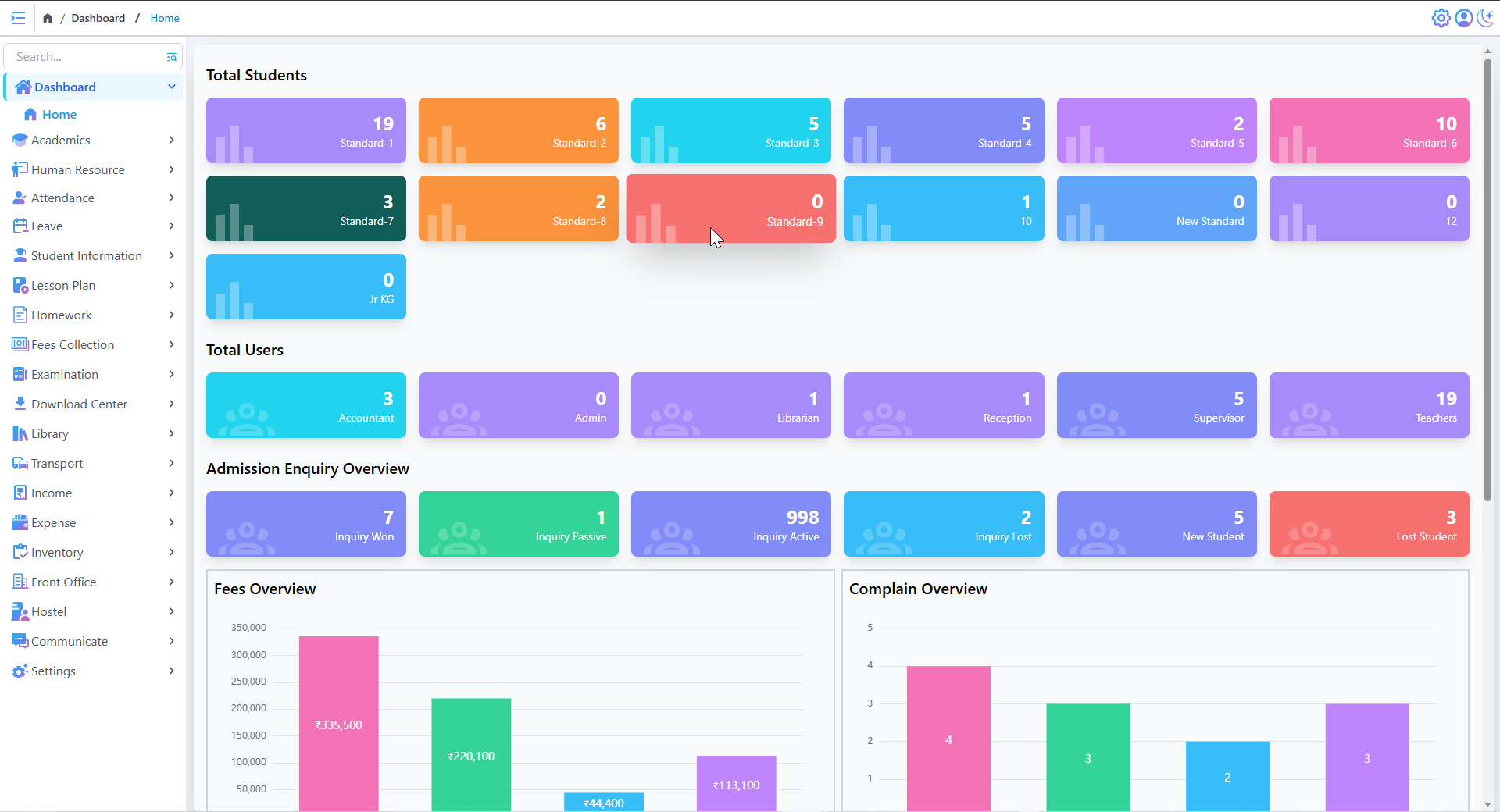
- Provides a real-time overview of student numbers, staff distribution, and admission inquiries.
- Helps in quick decision-making based on data trends.
Improved Admission Tracking
- Offers a clear picture of admission inquiries, including active and lost inquiries.
- Helps in strategizing efforts to convert inquiries into admissions.
- The number of active vs. lost inquiries can guide marketing and student retention strategies.
Improved Communication & Accountability
Effective Review Management
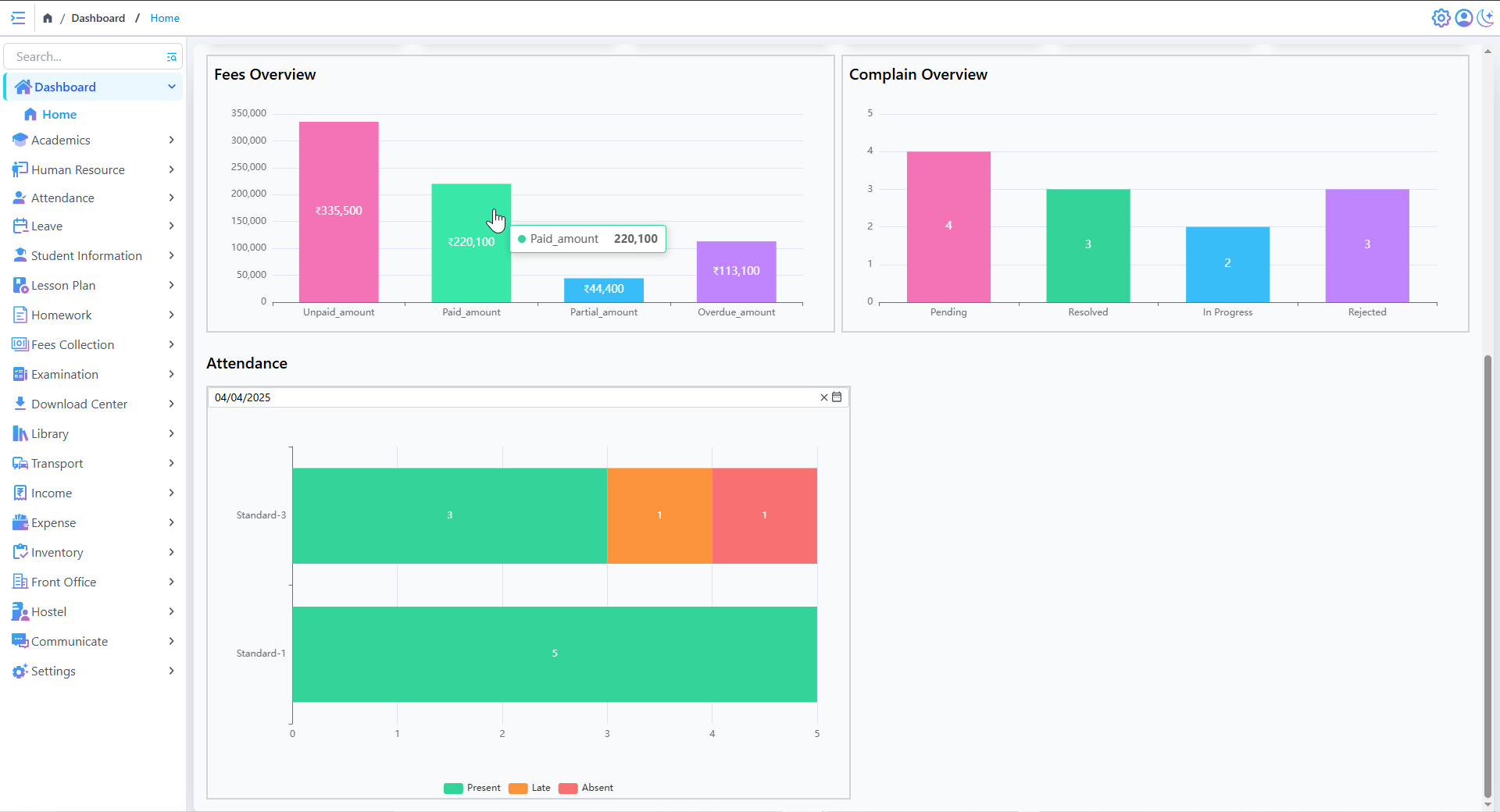
- Displays a real-time status of Reviews, ensuring transparency.
- Helps administrators prioritize pending and in-progress Reviews for resolution.
- Tracks the number of resolved vs. rejected Reviews, improving service quality.
Quick Attendance Insights
- Helps teachers and administrators track student attendance in real time.
- Displays attendance patterns across different grades.
- Identifies students who are frequently late or absent.
Academics
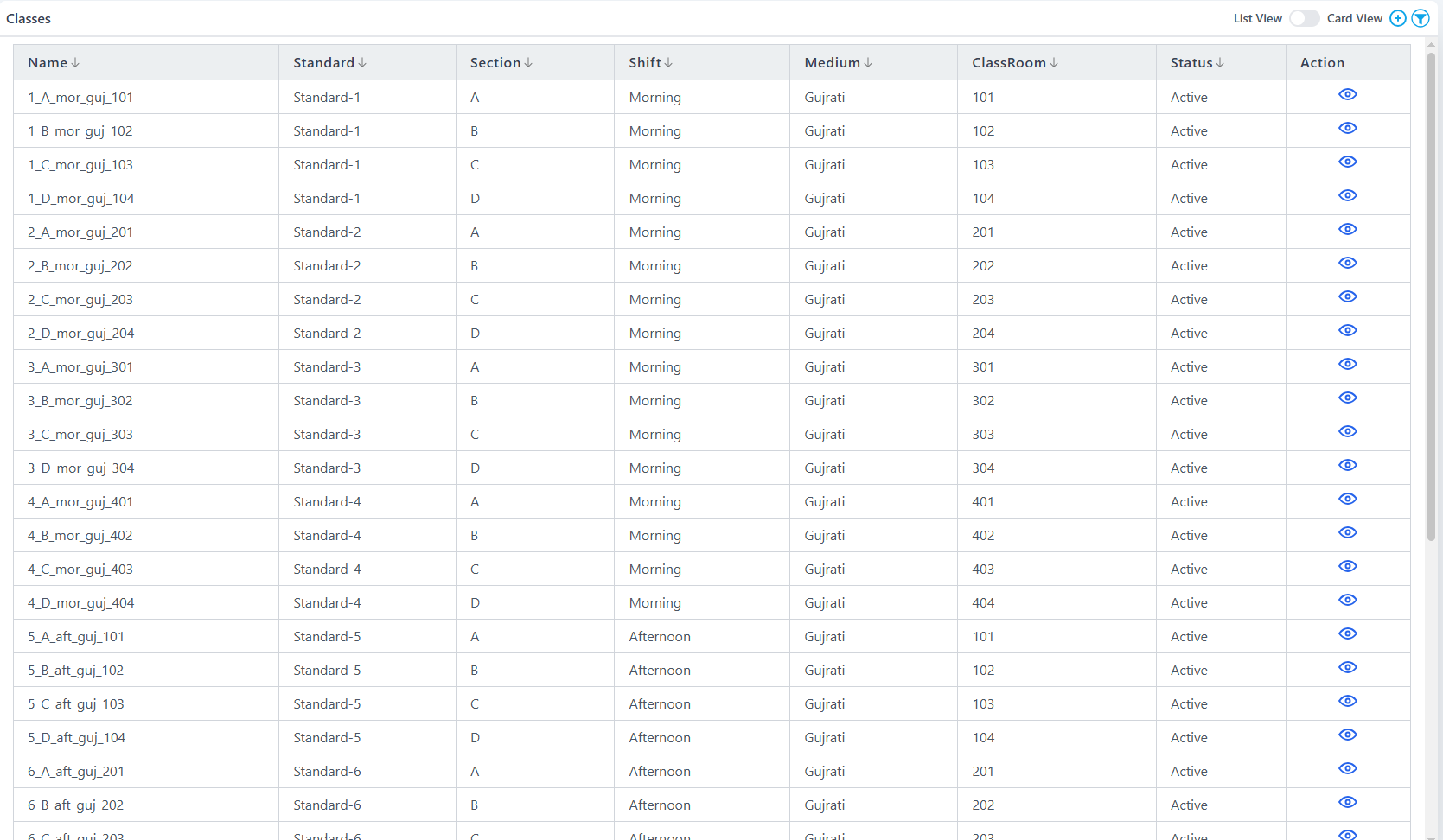
Class List
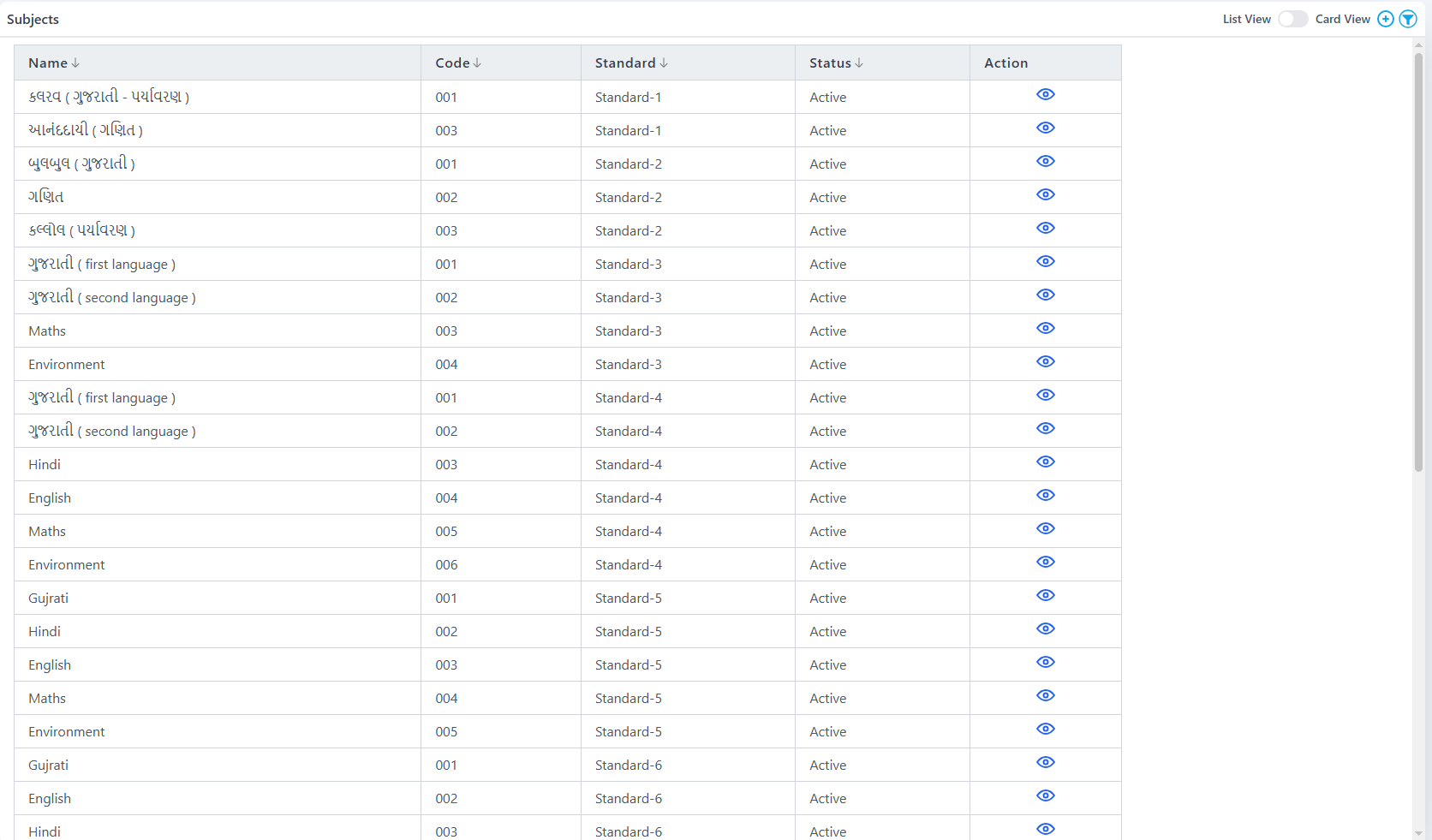
Subjects
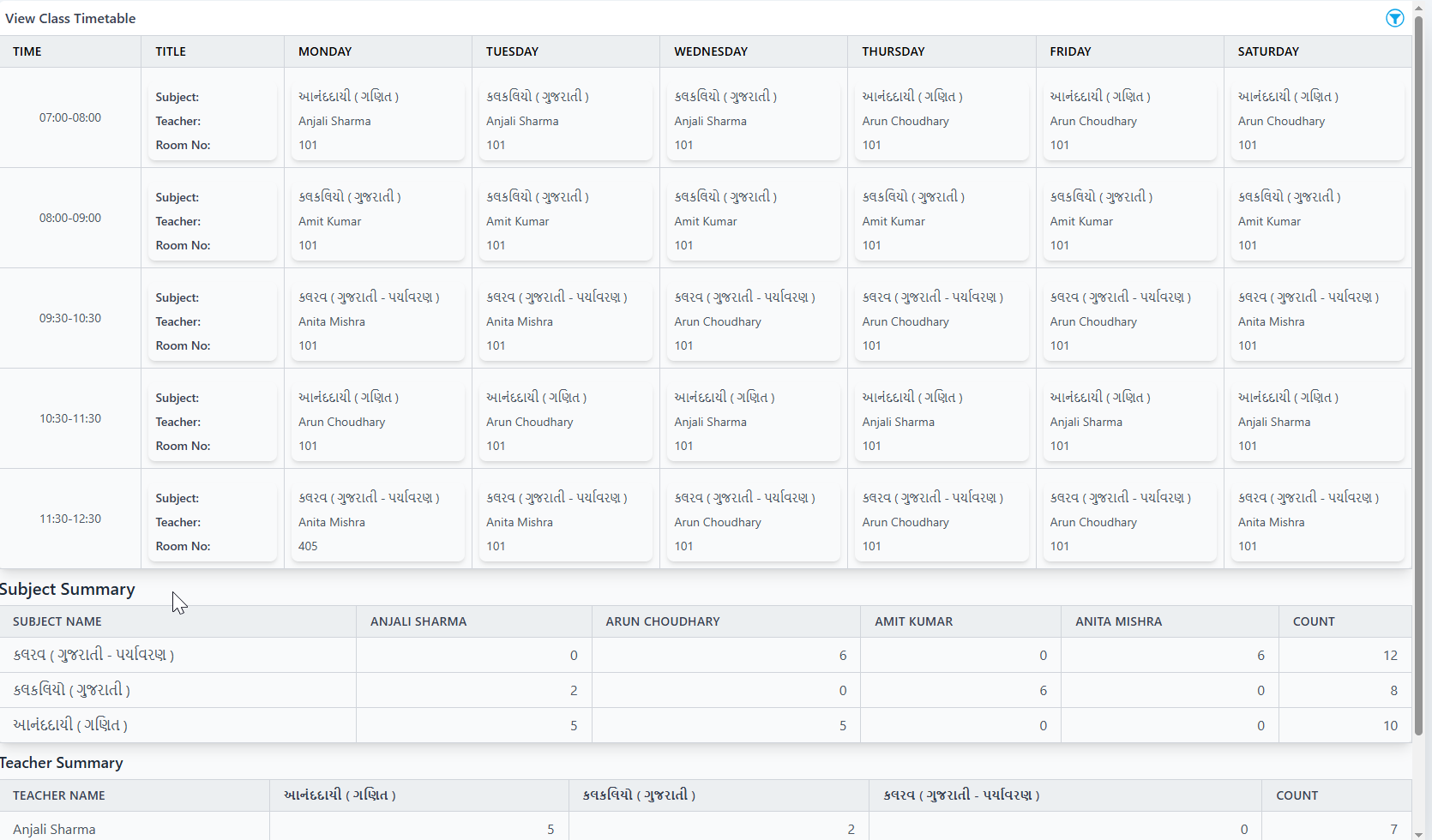
Manual Class Scheduling
- Efficient planning for teachers with flexible scheduling options
- Ensures proper subject distribution and teacher allocation
- Easy drag-and-drop interface for quick adjustments
Holiday & Event Calendar
Smart Timetable Management
- manual class scheduling for Teachers Efficient Planning
- Balances teacher workloads across the week
- Ensures proper subject distribution and teacher allocation.
Human Resource
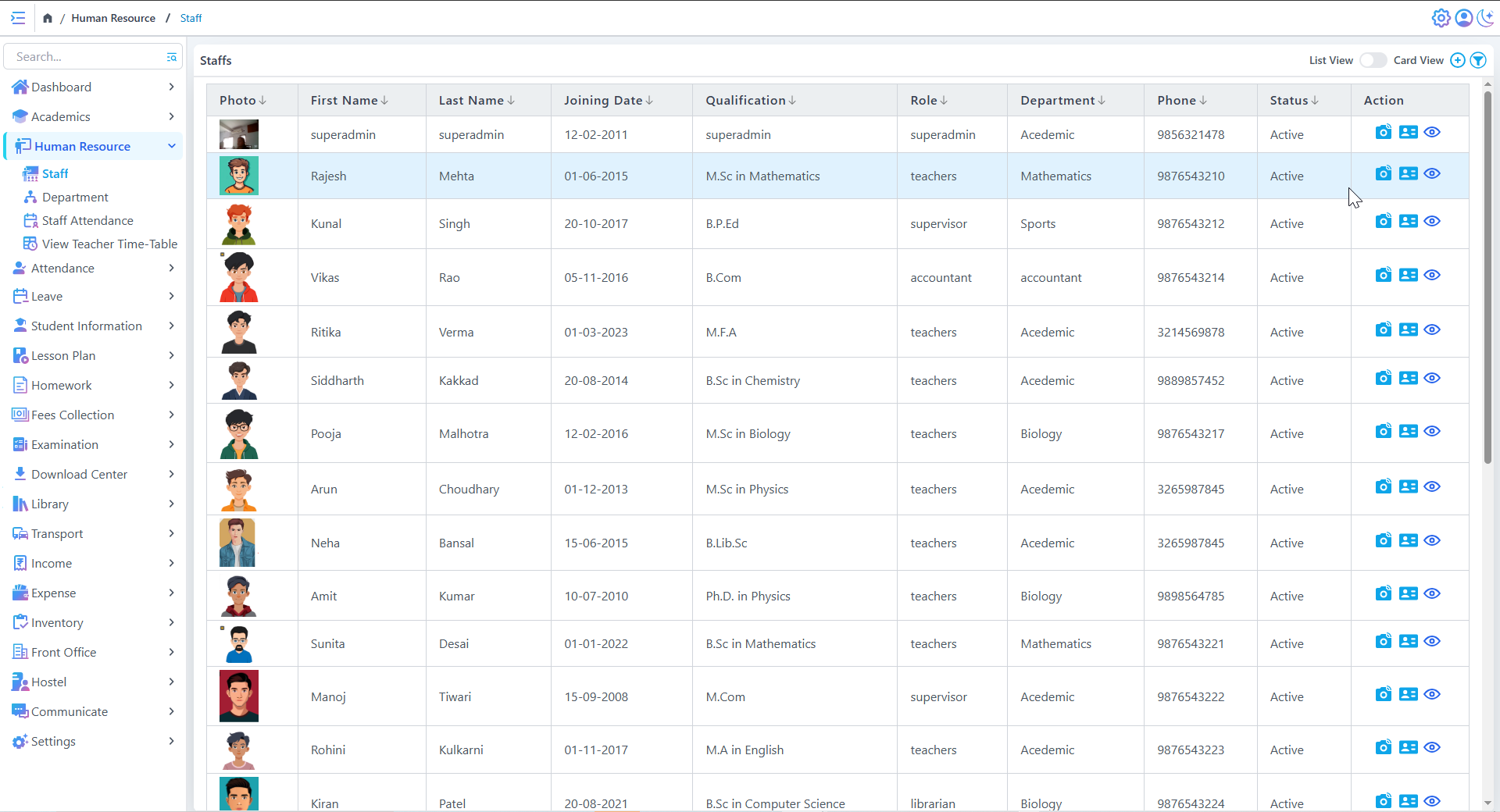
Staff List
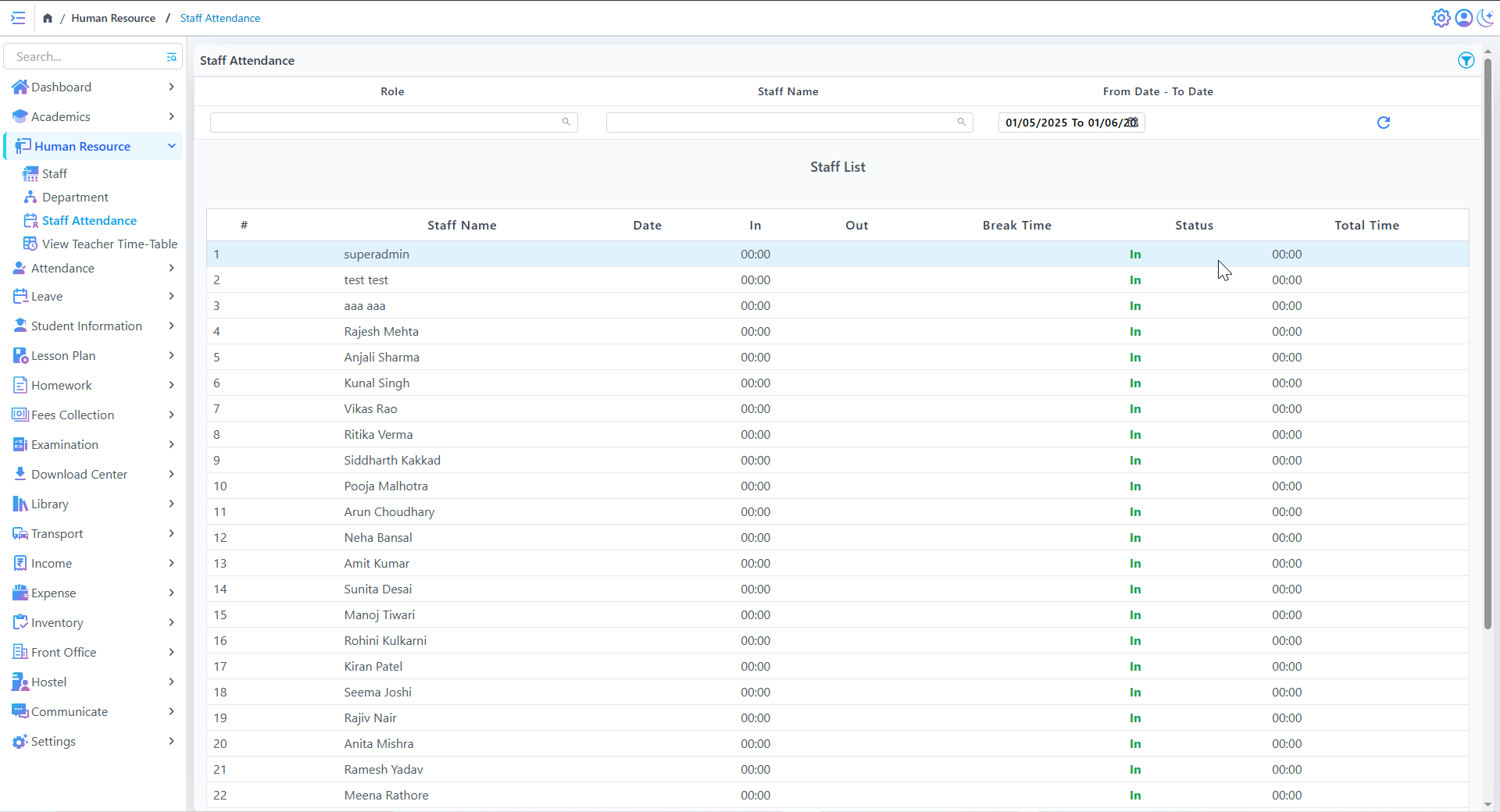
Staff Attendance
Staff Directory Management
- Stores detailed records of all staff, including name, qualification, role, department, contact details, and status.
- Supports easy filtering and sorting of staff members.
Staff Attendance Tracking
Role-Based Filtering in Staff Attendance
- Enables filtering staff by role (e.g., teachers, admin staff).
- Makes attendance management easier by categorizing employees.
Quick Action Menu
- Edit, delete, and update staff details from a single dashboard.
- Profile picture support for easy identification.
Notifications & Alerts
Student Attendance
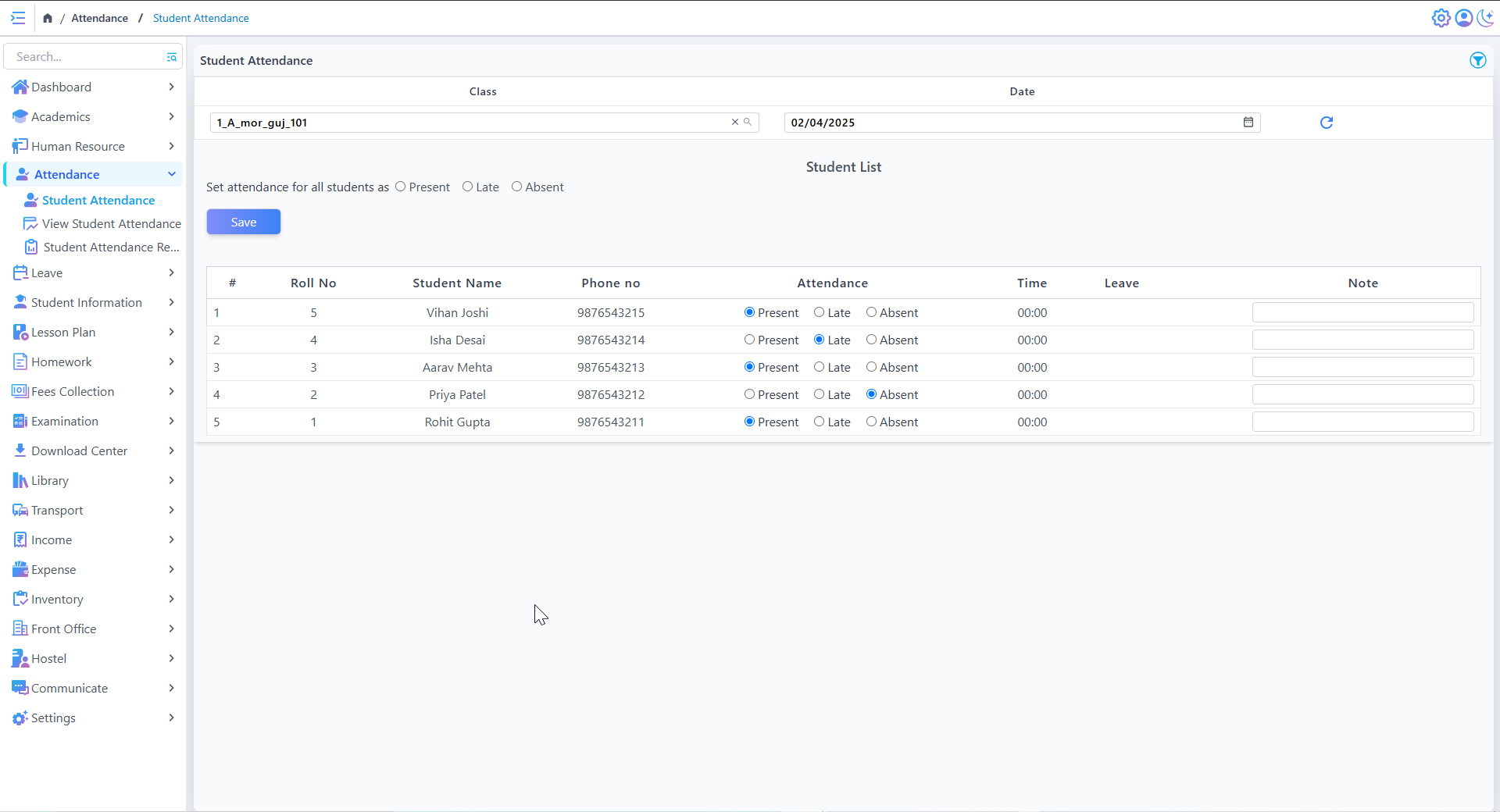
Student Attendance Marking
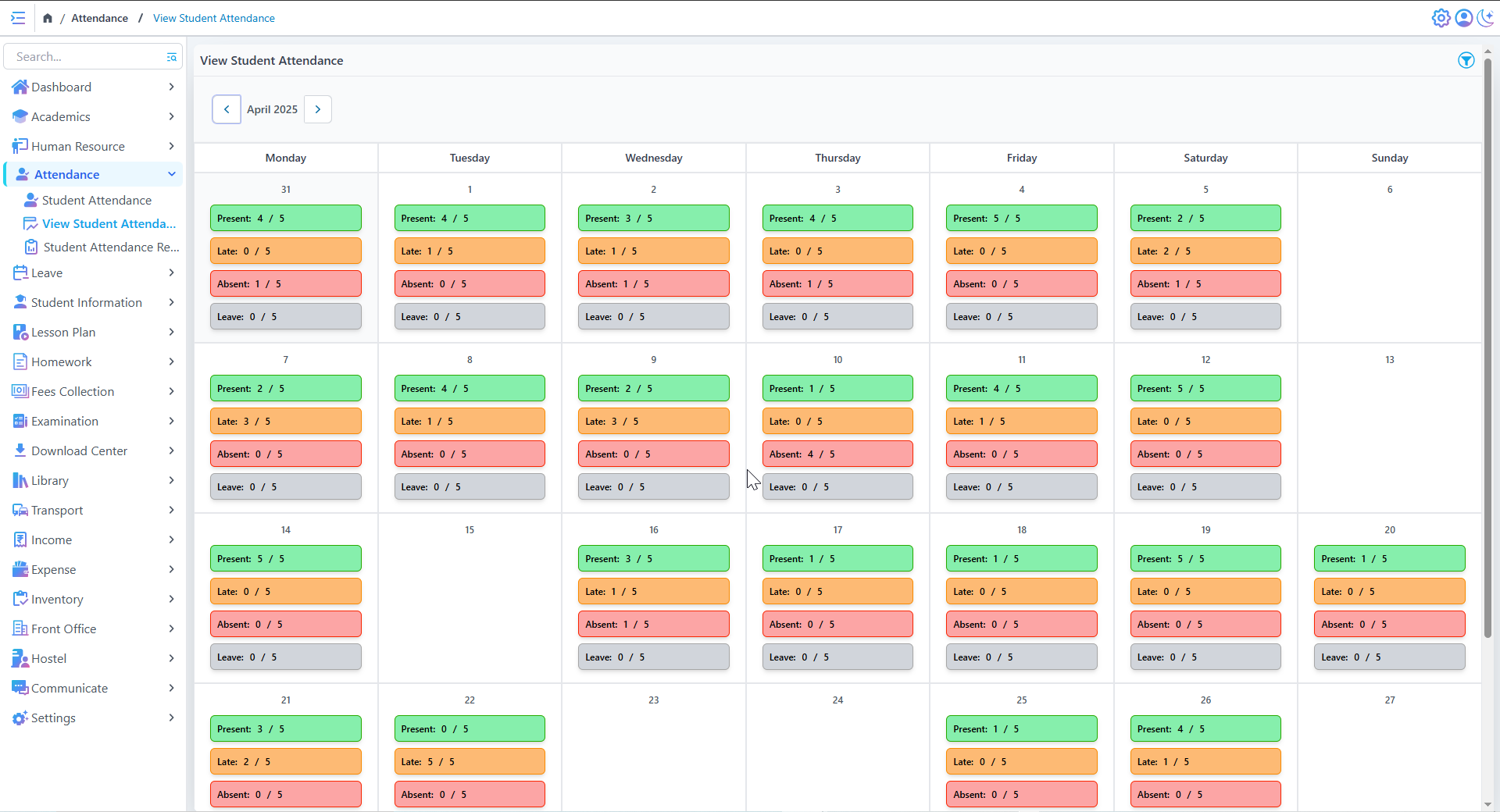
View Student Attendance
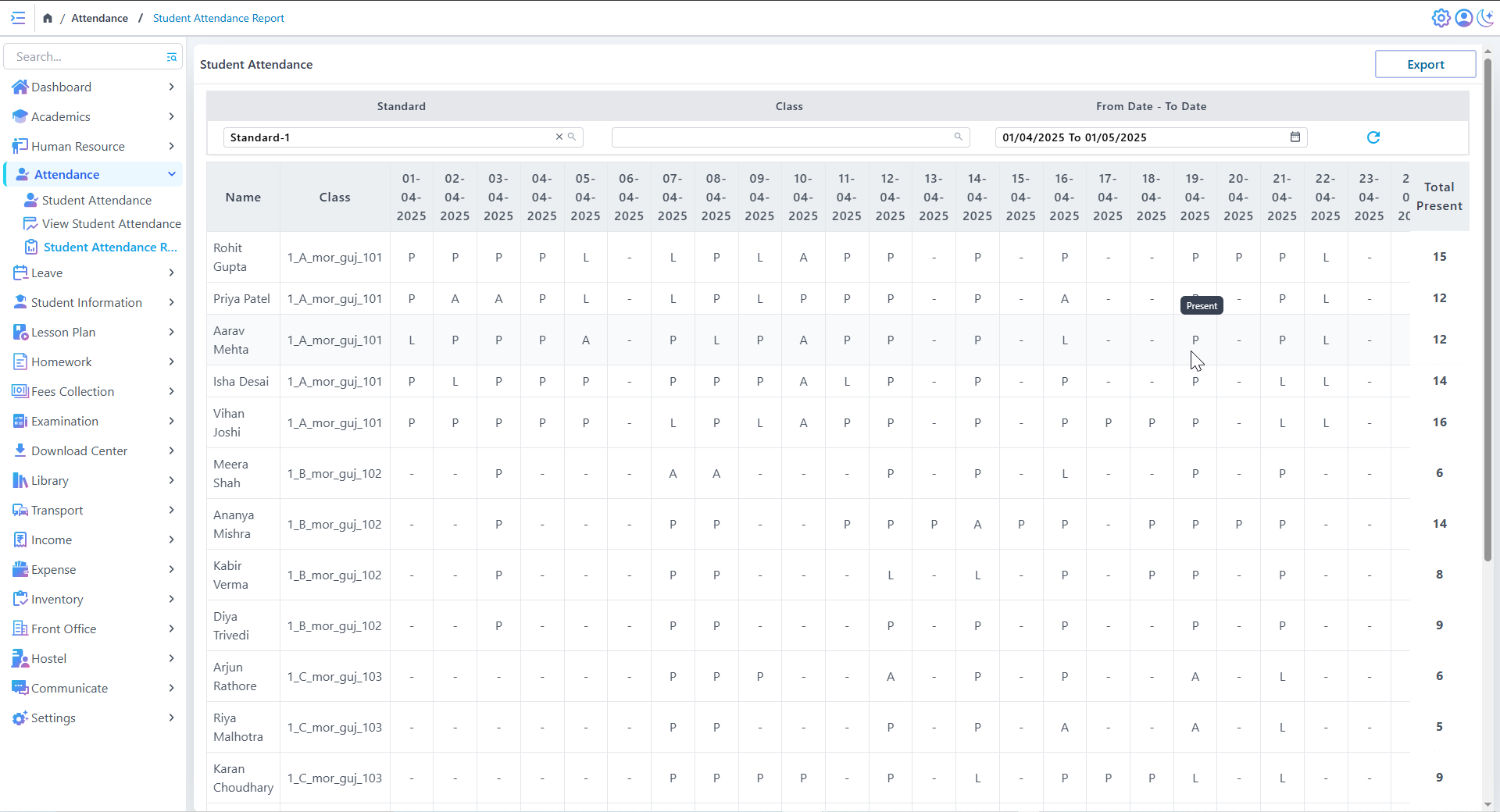
Student Attendance Marking
- Teachers can mark individual student attendance as Present, Late, or Absent.
- A bulk selection option allows setting attendance for all students at once.
Attendance Dashboard & Reports
Filtering by Class-wise & Student-wise
- Filter attendance records by specific classes or grades.
- View individual student attendance history and patterns.
Student Information
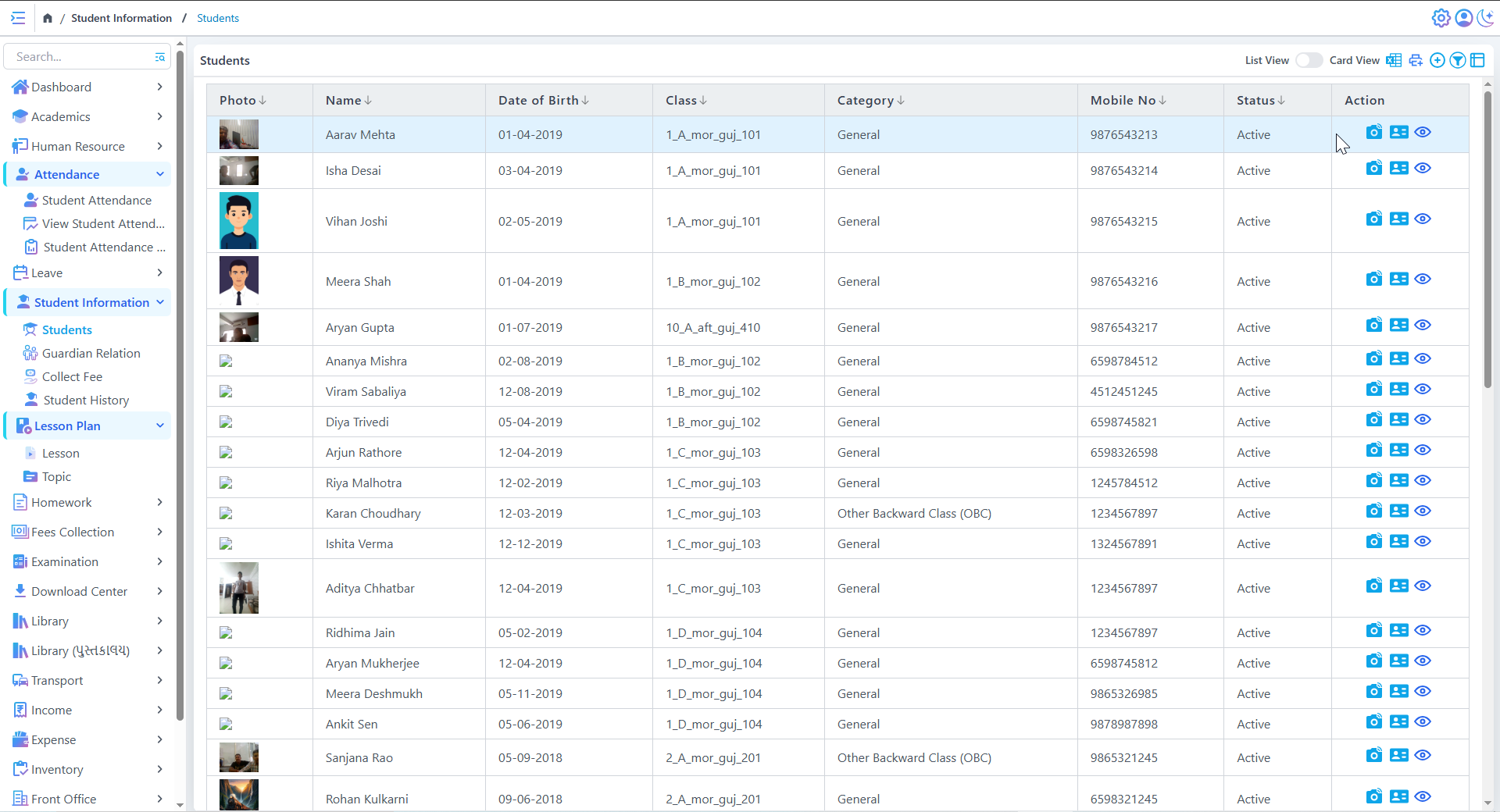
Student List
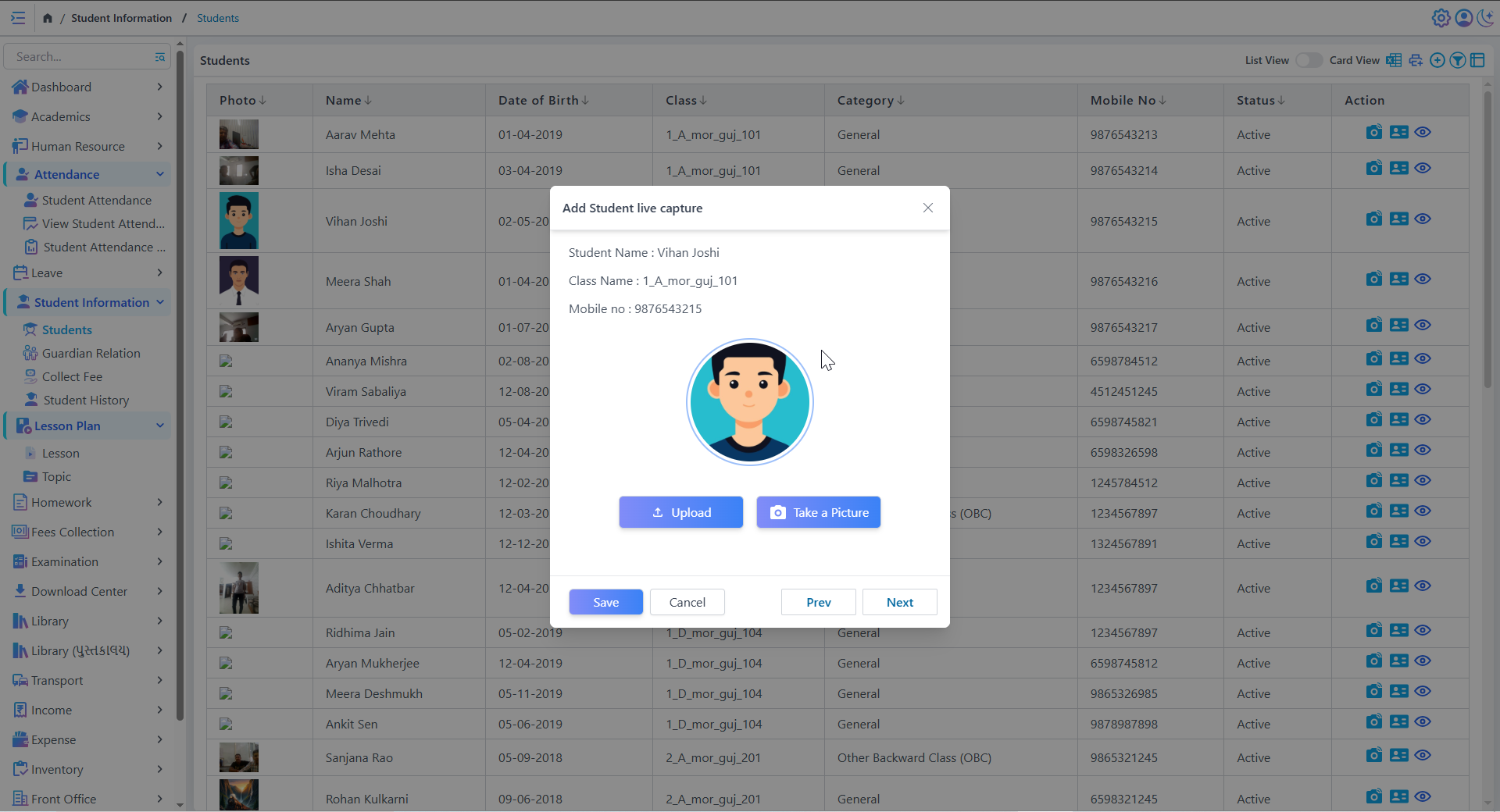
Add Student live capture
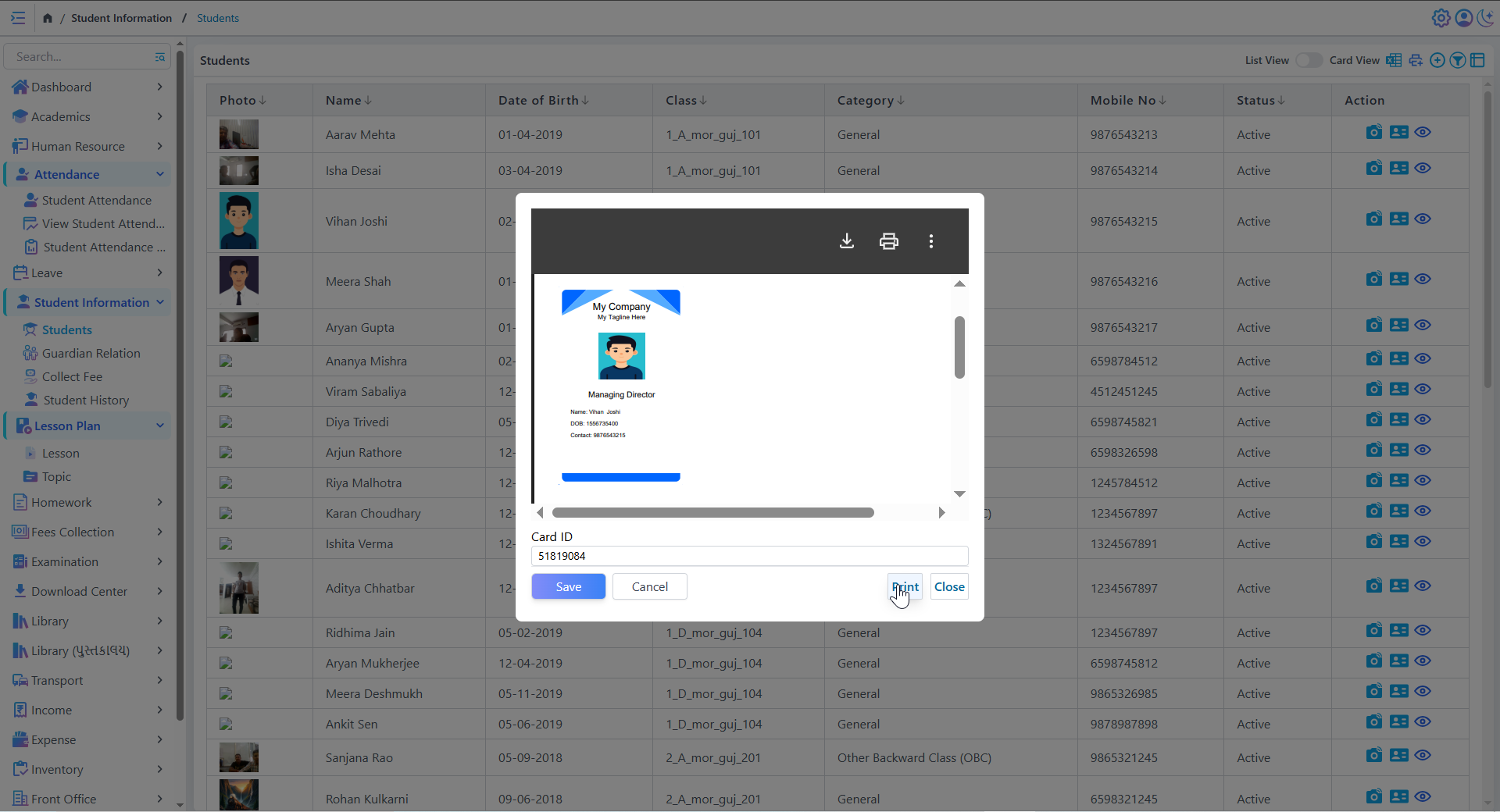
Student Directory Management
- Stores detailed records of all students including name, standard, department, contact details, and status
- Supports easy filtering and sorting of student members
Student Information Table
- Displays student data such as Roll No, Name, Class, and more in a clean tabular format
- Provides quick access to all essential student information
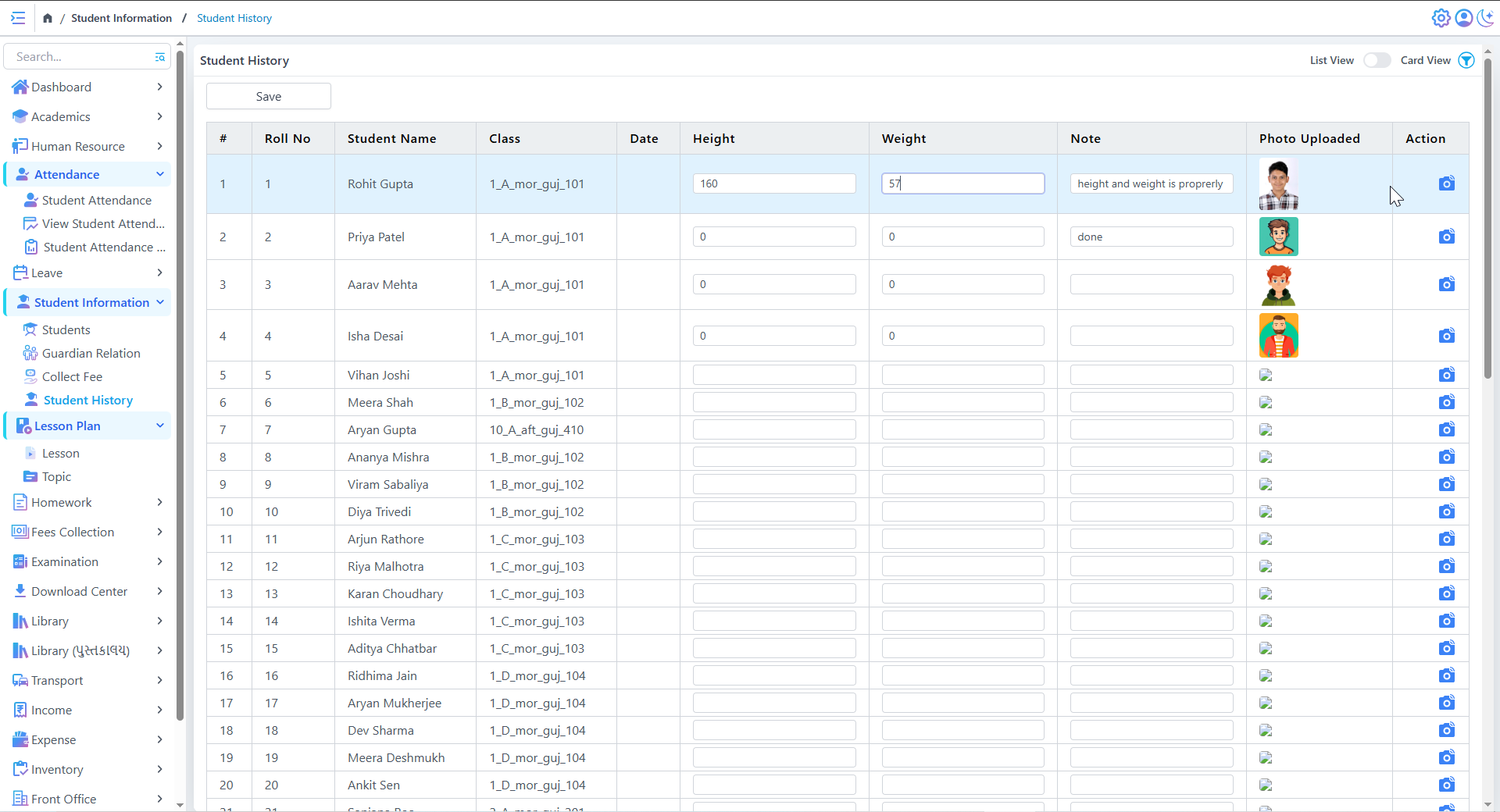
Student Physical History
Homework
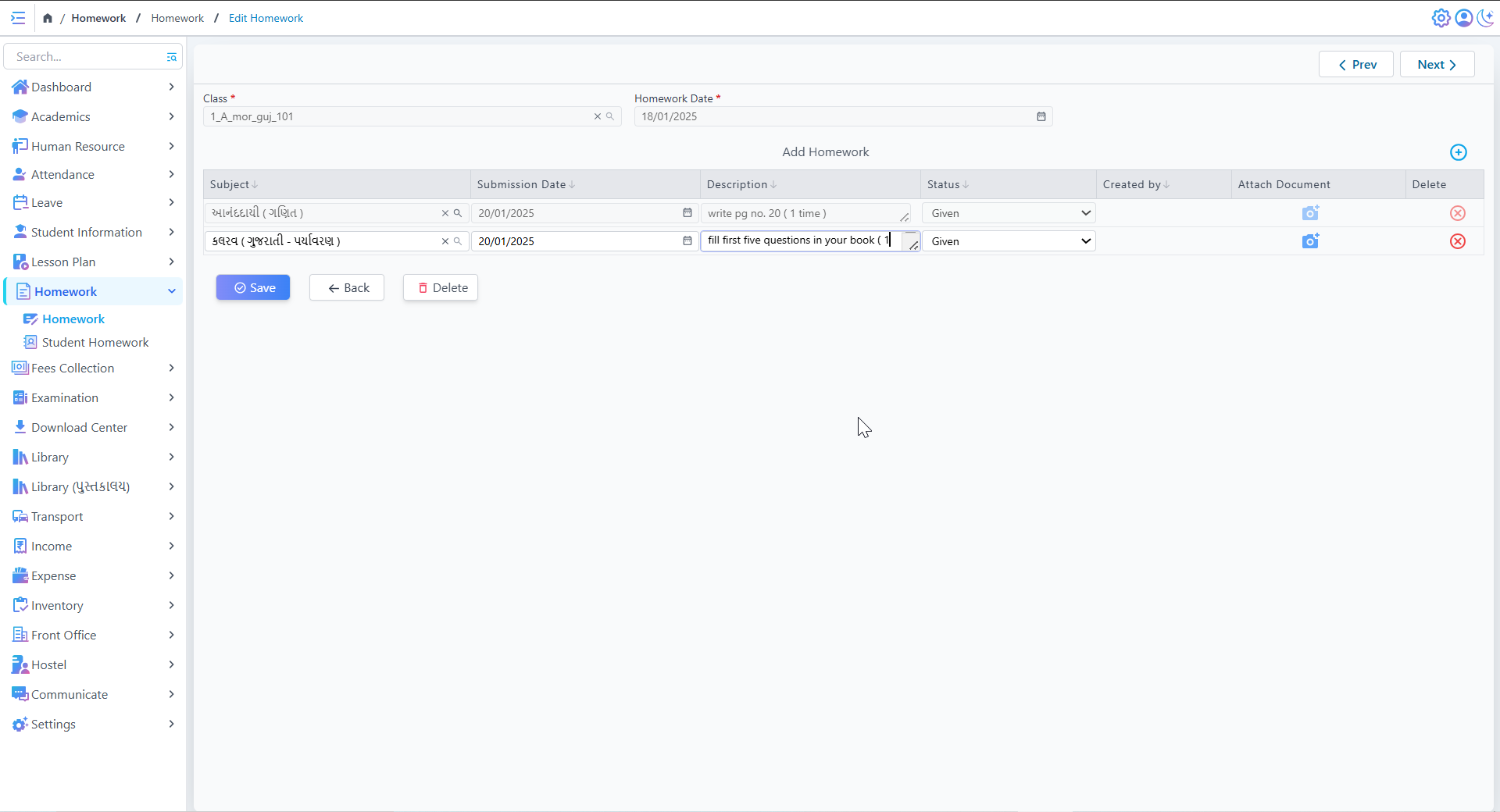
Edit & Create Homework
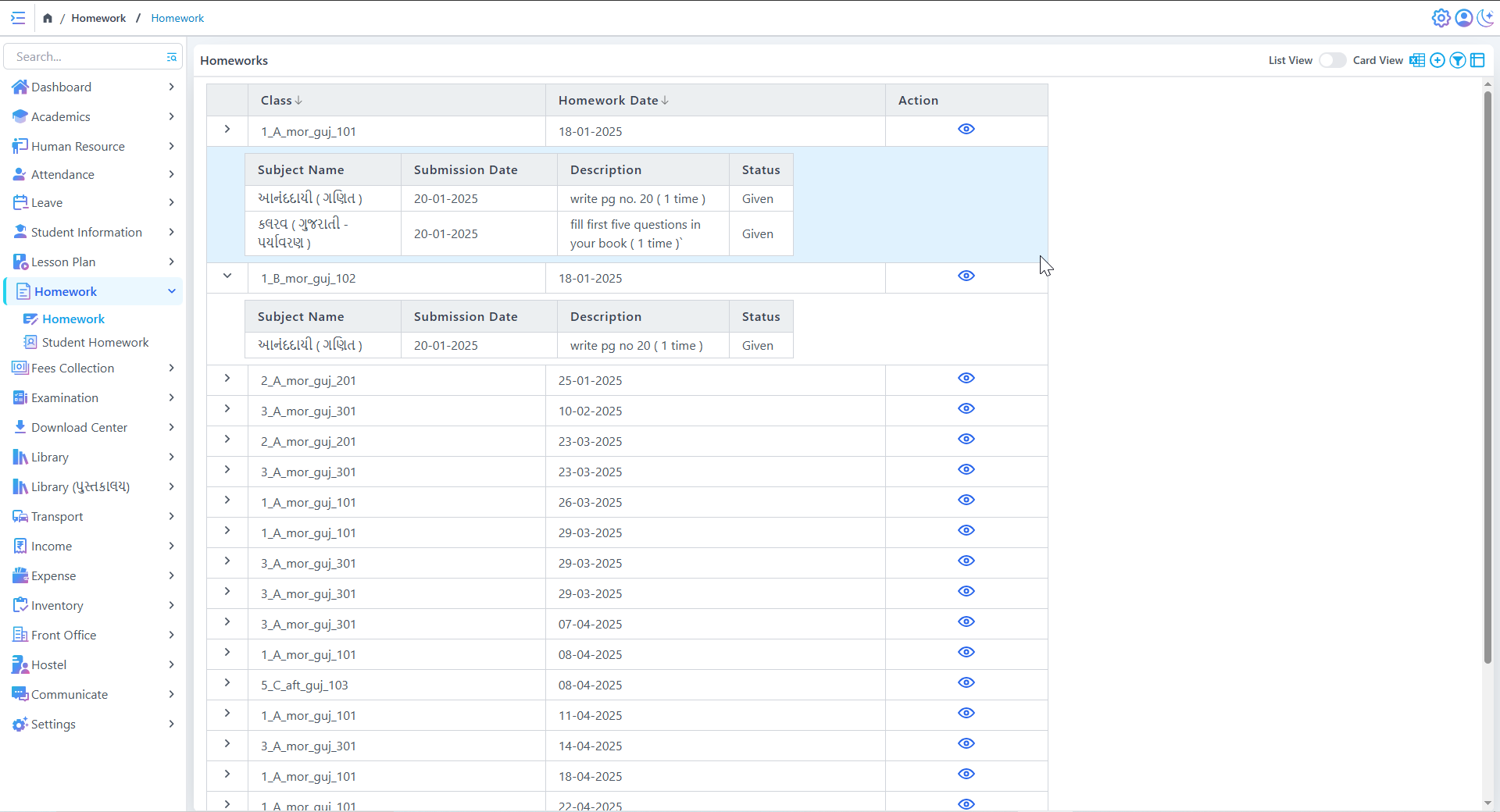
Homework List
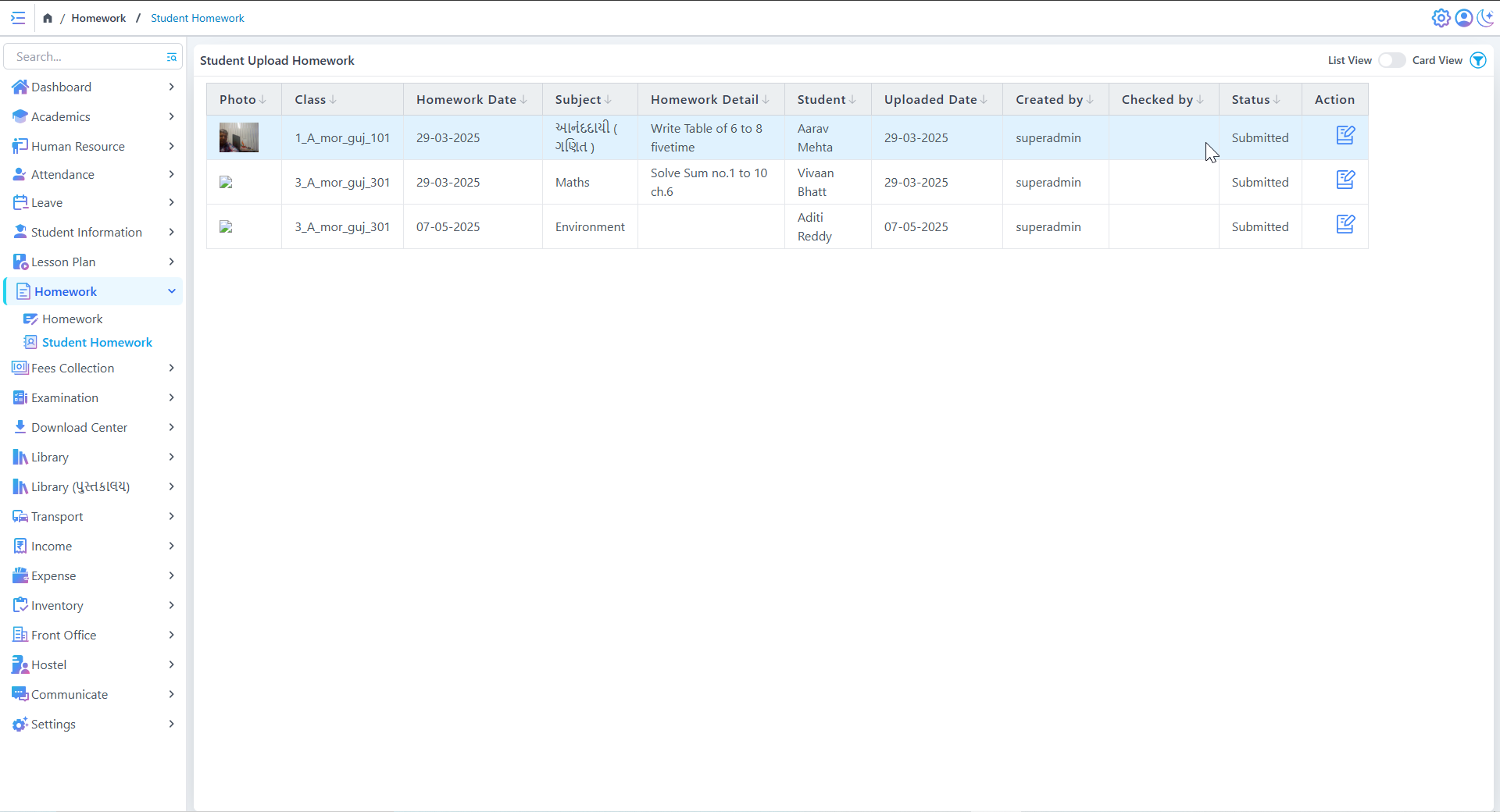
Homework Assignment Management
- Teachers can assign homework to different classes
- Homework details, descriptions, and due dates are clearly visible
Student Homework Submission
Fees Collection
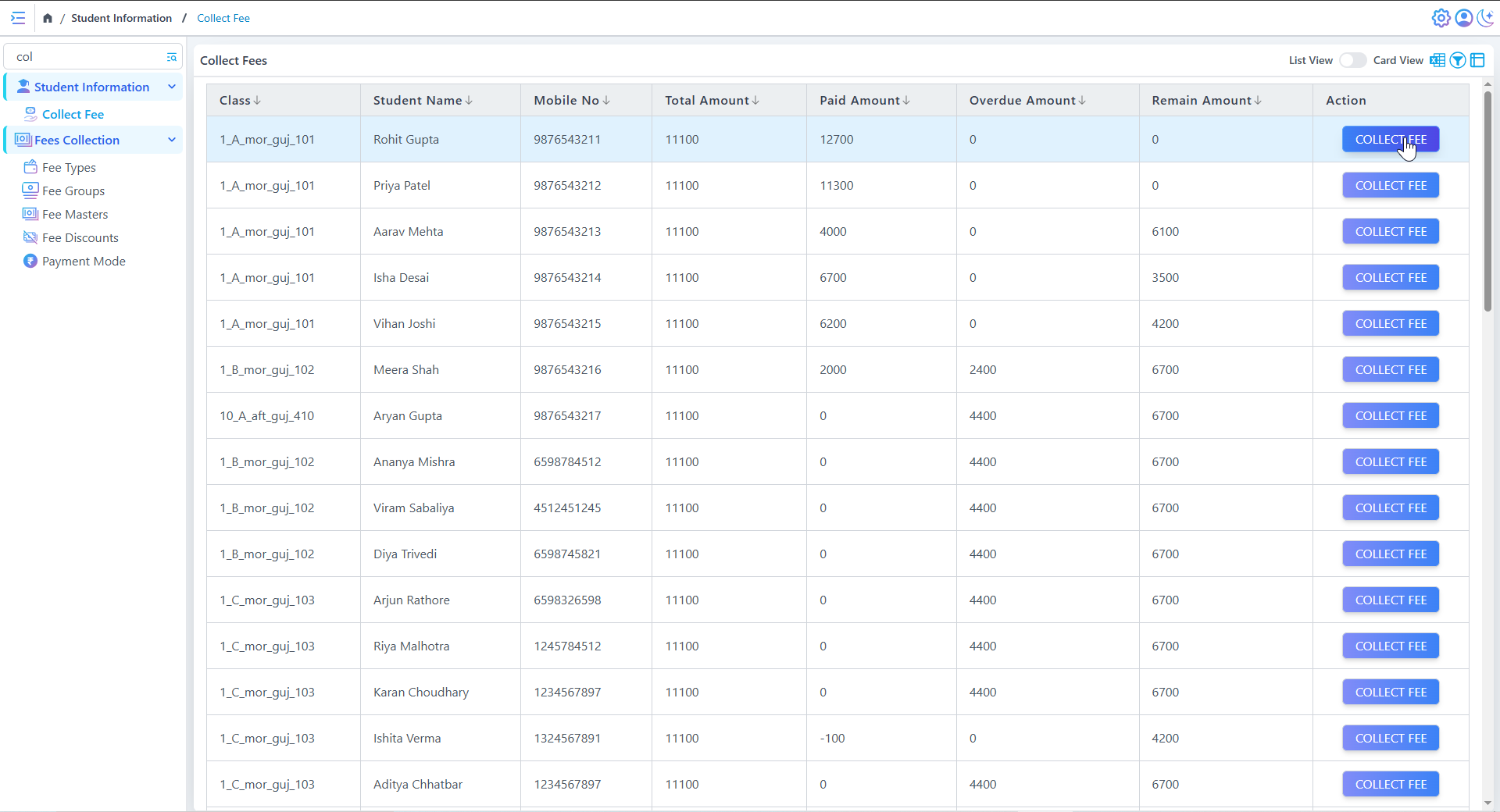
Collect Fees
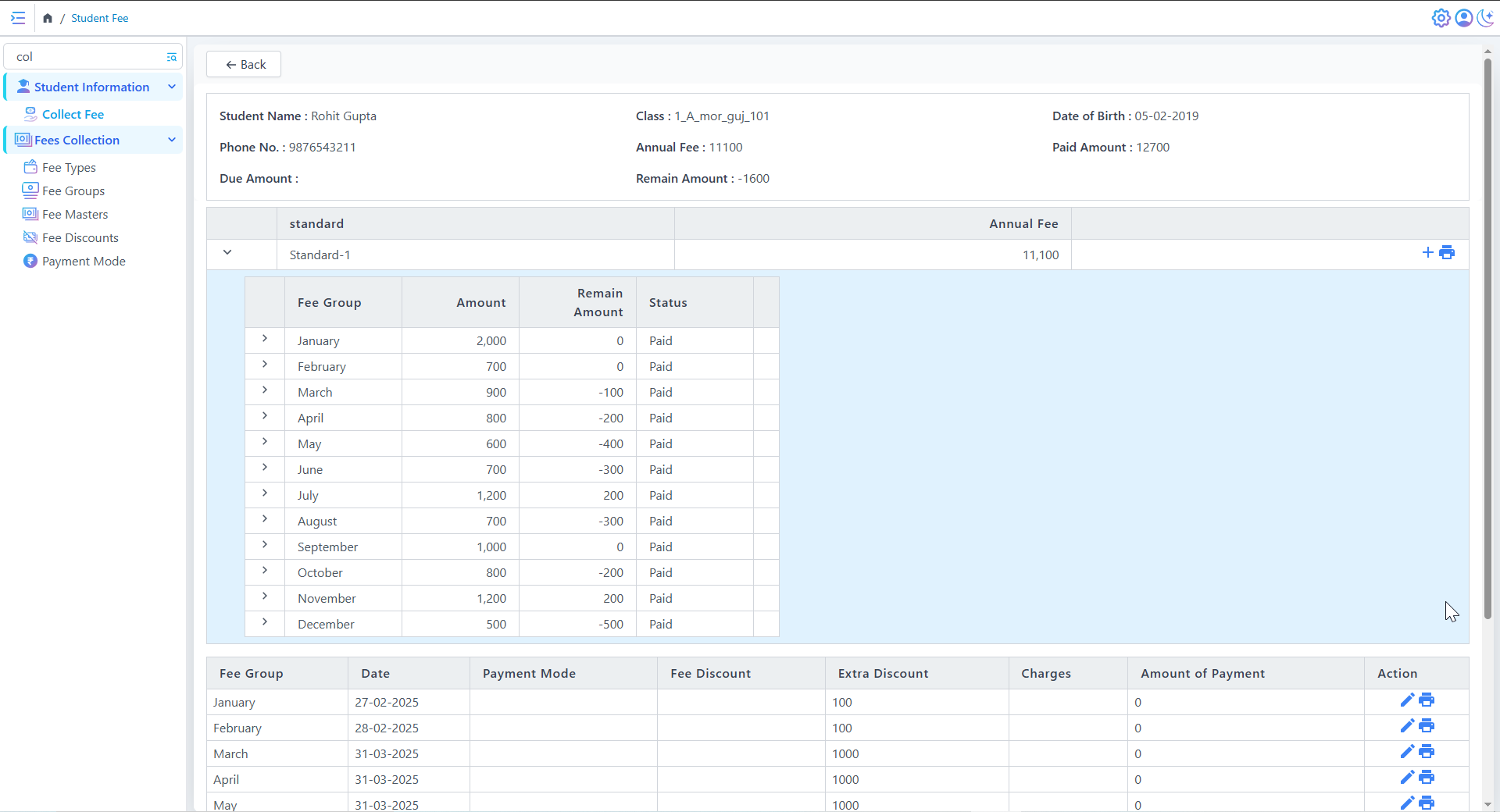
Student Fee
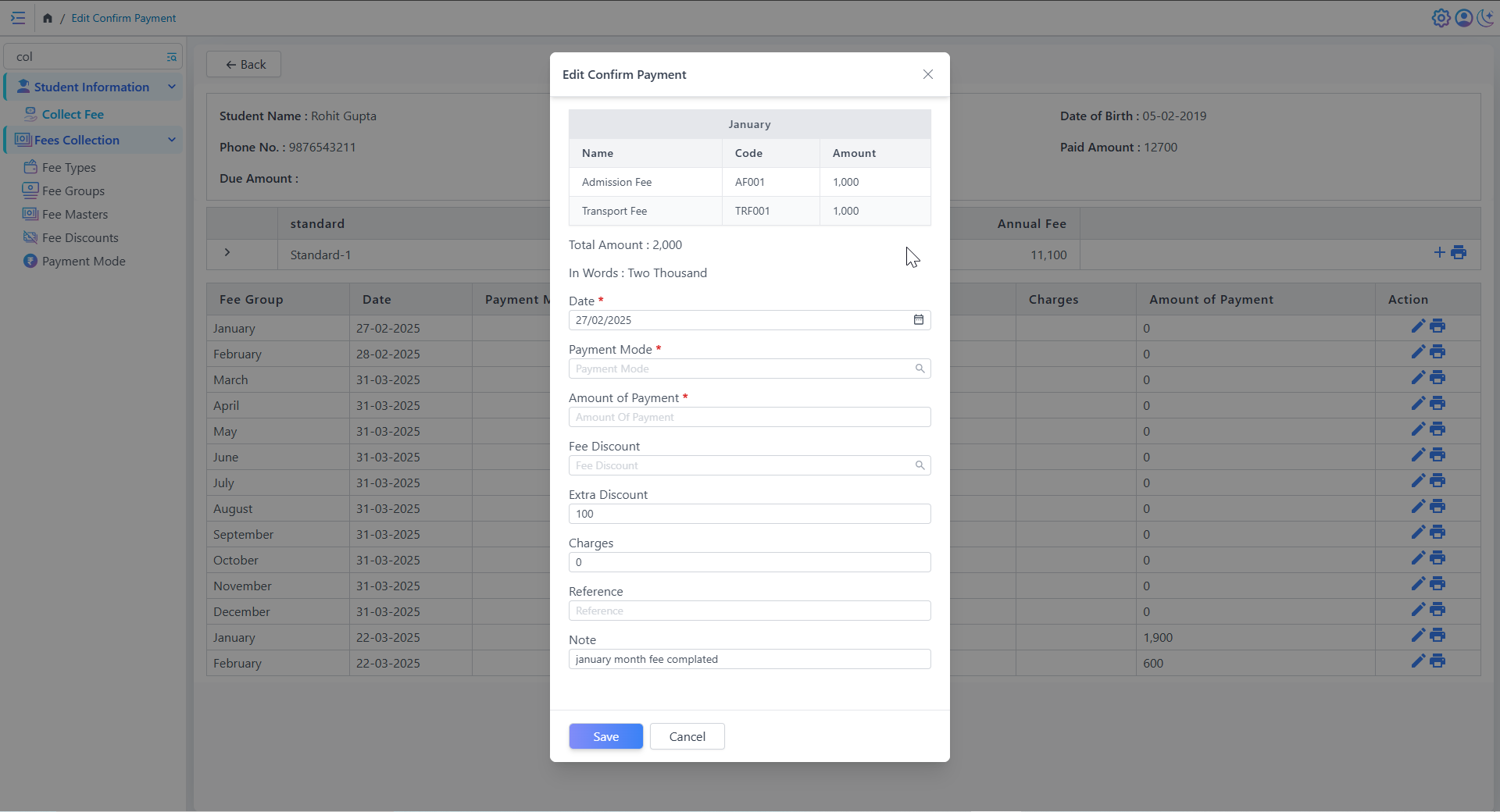
Edit Confirm Payment
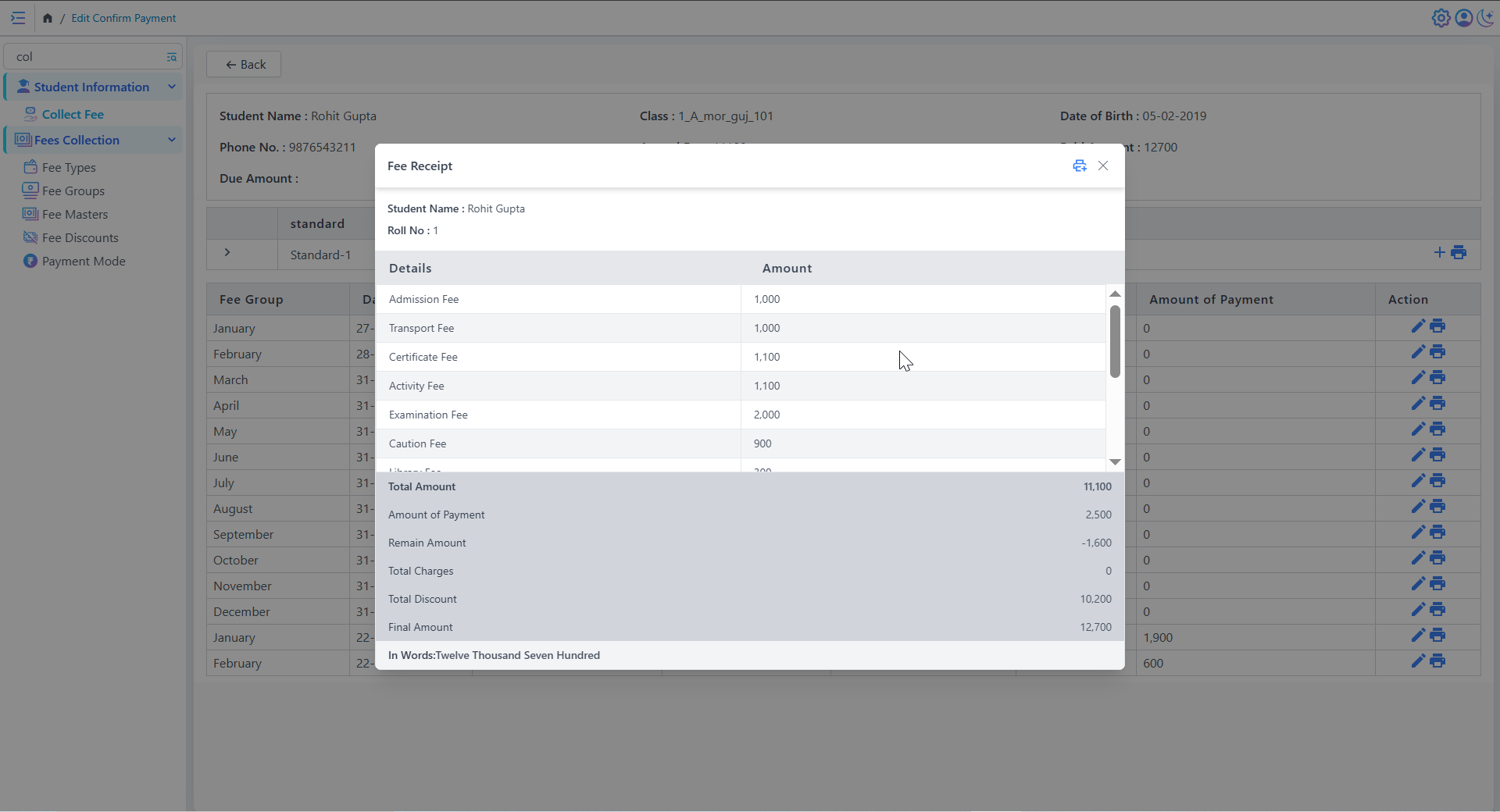
Real-Time Payment Status Tracking
Detailed Fee Entry Interface
- Predefined fee categories with codes and amounts
- Fields for payment mode, date, discounts, and amount paid
- Supports both partial and full payments
Transparent Billing & Receipts
Professional Receipt Output
- Formatted professionally for printing or digital sharing
- Includes school logo, contact info, and receipt number
- Signature space for official validation
Examination
• Create And Edit Exam Schedule
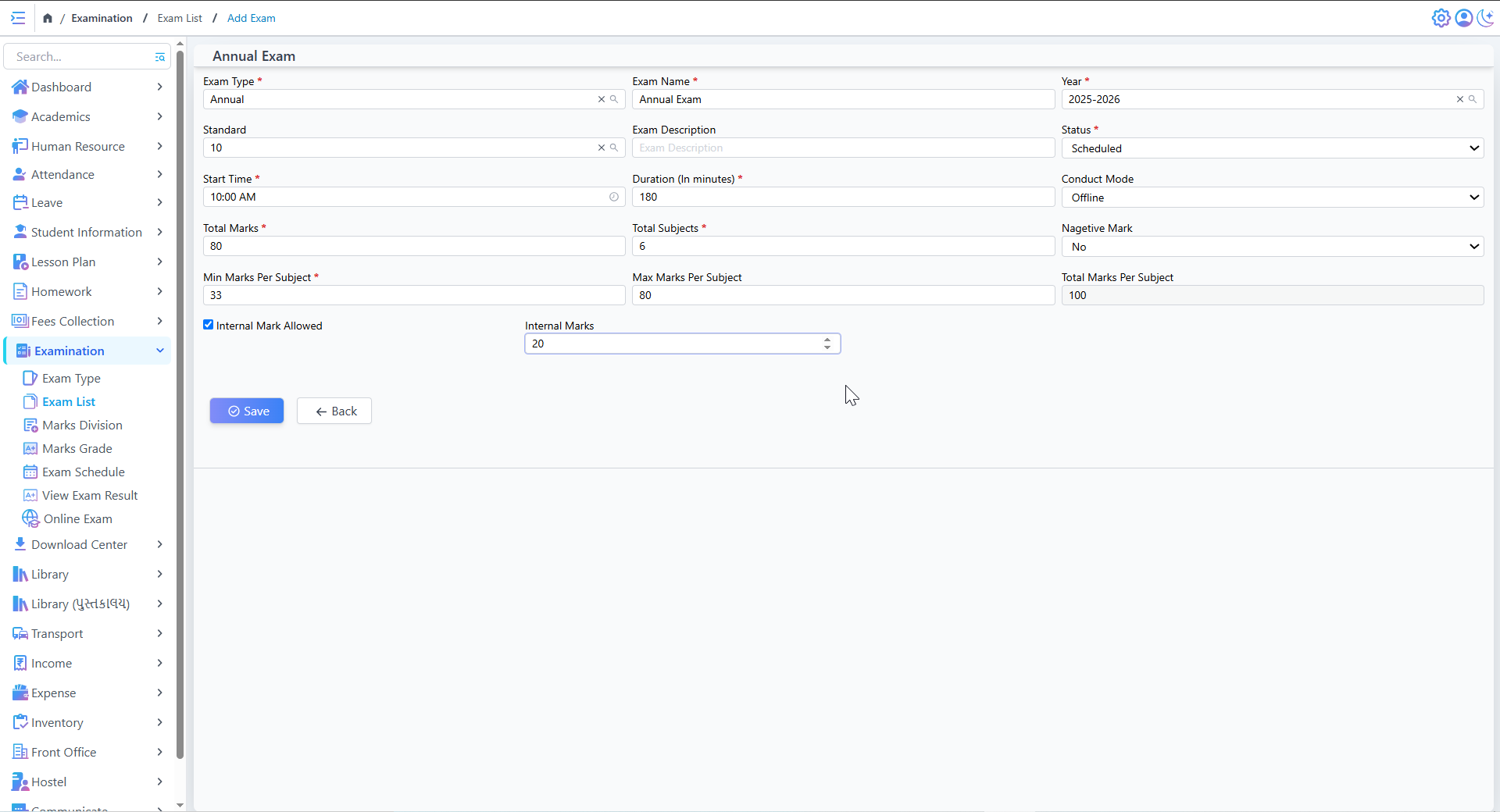
Create And Edit Exam Schedule
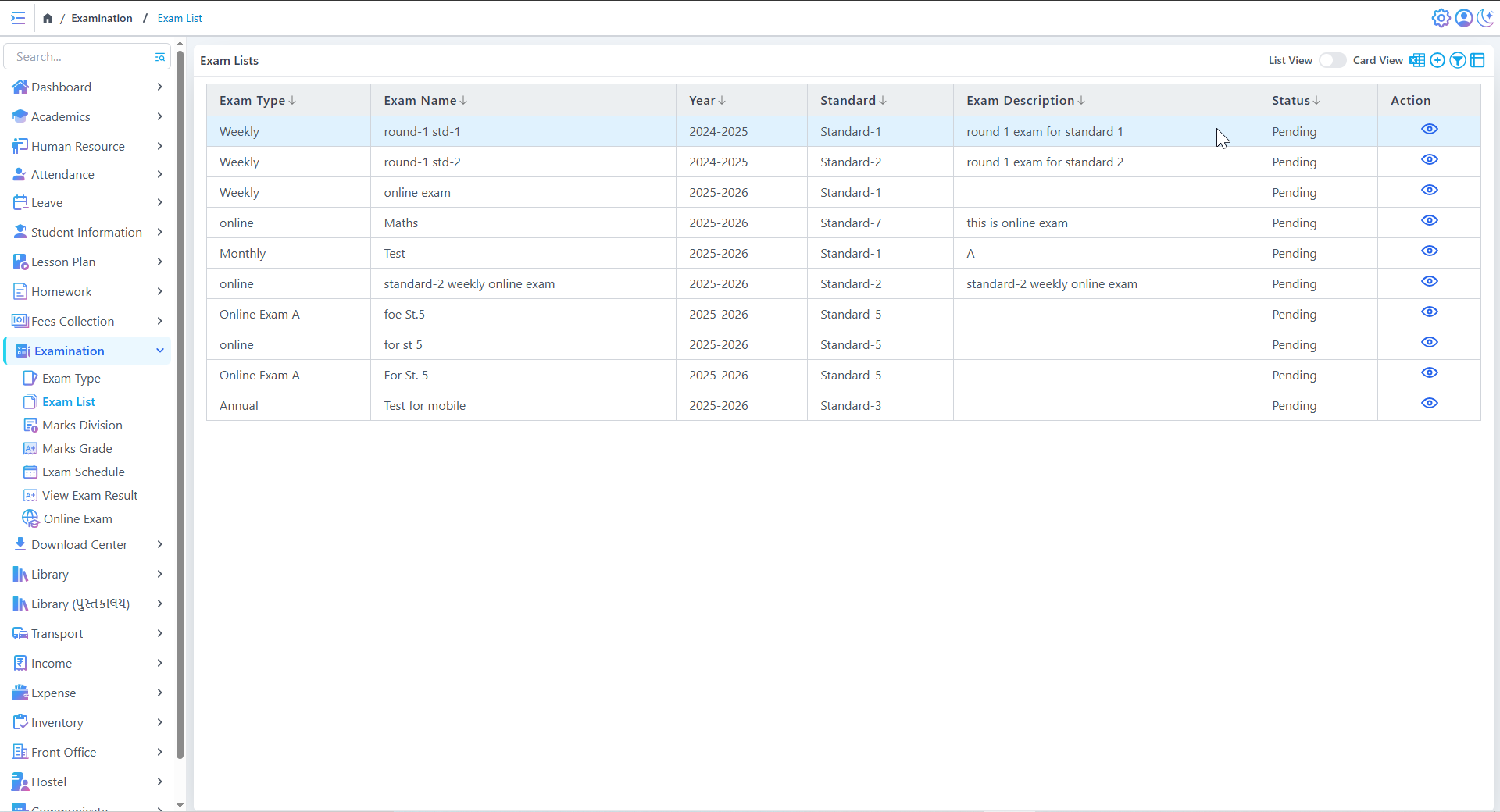
Exam Schedule List
Exam Creation & Scheduling
- Teachers or admins can create exams by selecting the exam list, class, and subject
- Exam dates can be predefined to avoid scheduling conflicts
- The system allows setting start times to maintain punctuality
- Choose between Online or Offline mode, making exams more flexible
Action Controls
• View Exam Schedule
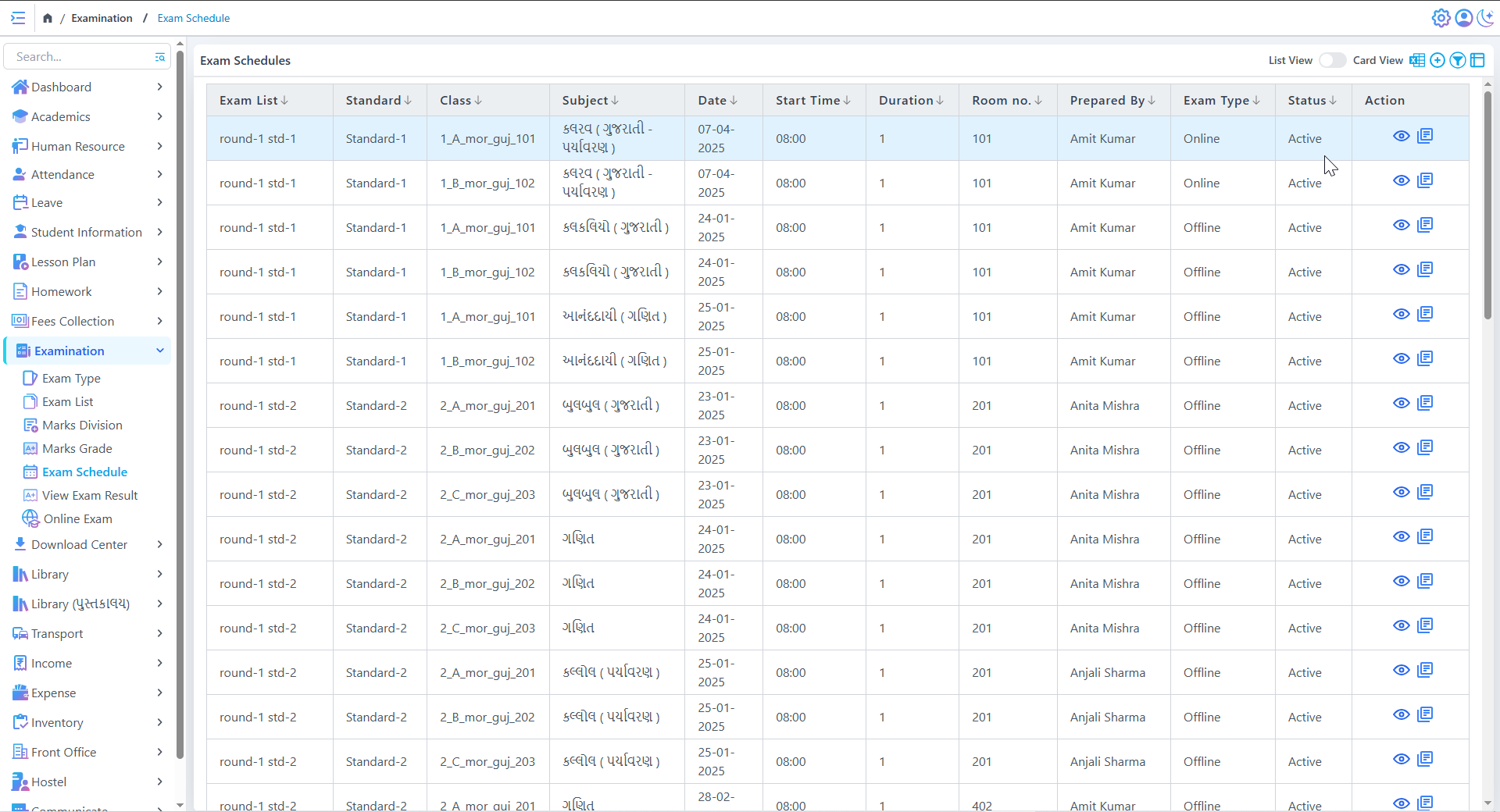
Exam Schedules
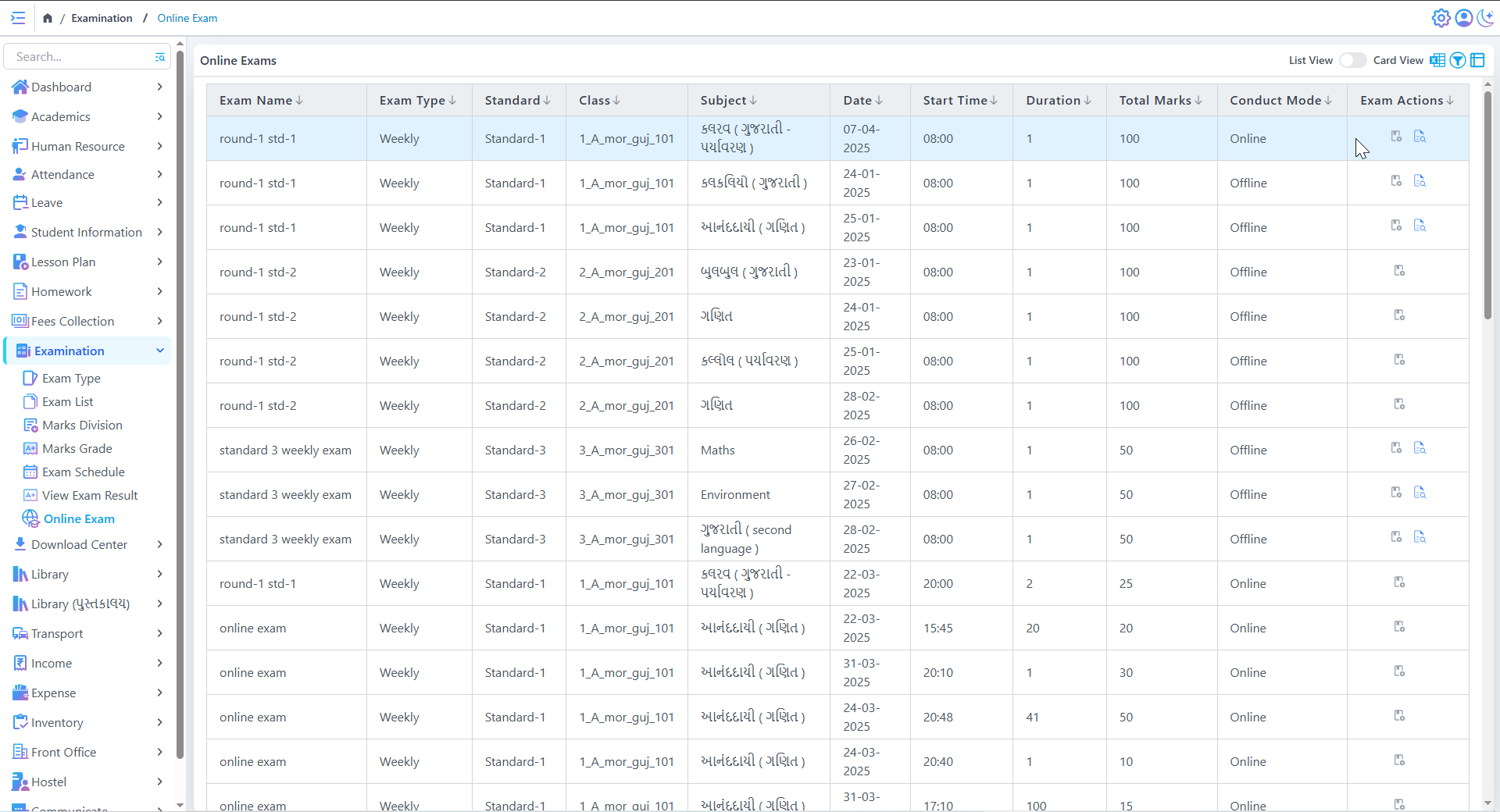
Online Exams Schedule
Online & Offline Exam Management
View & Manage Exam Timetable
- Displays detailed exam schedules with class, subject, date, and time
- Supports both list view and card view for easy navigation
- Allows sorting & filtering of exams based on class, subject, or date
- Helps administrators and teachers track upcoming exams efficiently
• View Exam Result
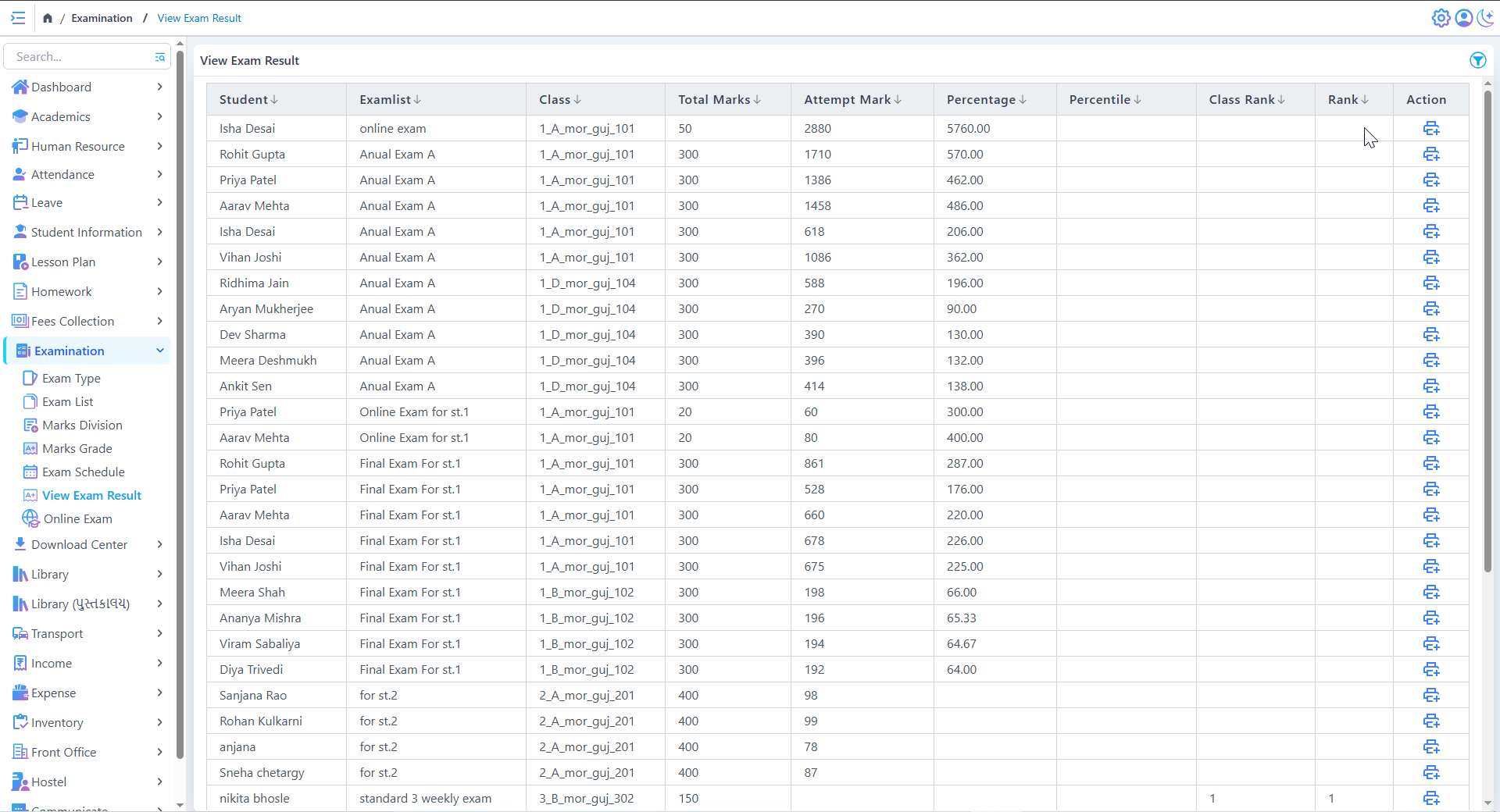
View Exam Result
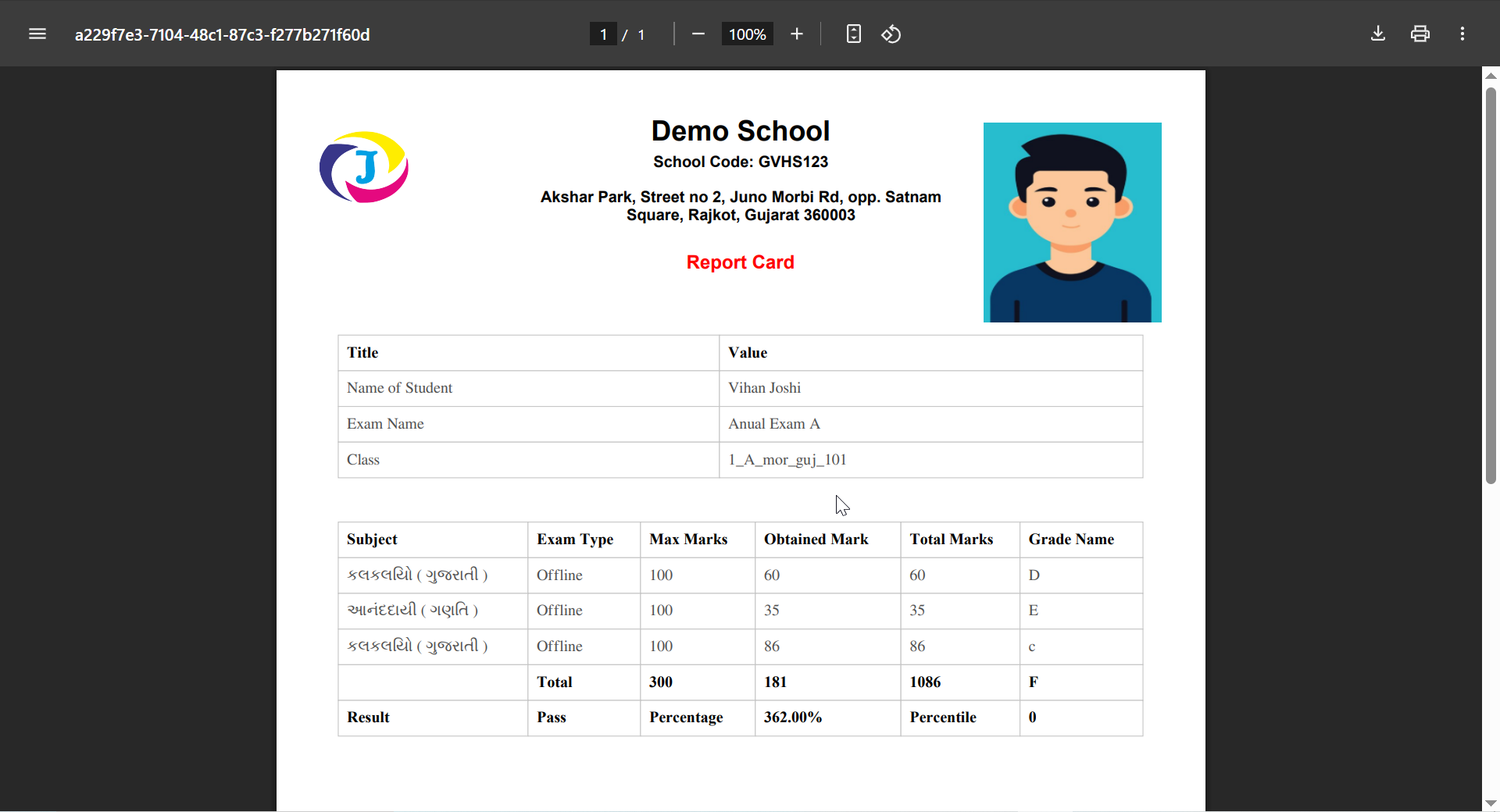
Exam's Report Card
Ranking & Performance Analysis
Print & Export Results
- Each result row has a print for quick printing
- Enables easy result sharing with students and parents
Sorting & Filtering Options
Download Center
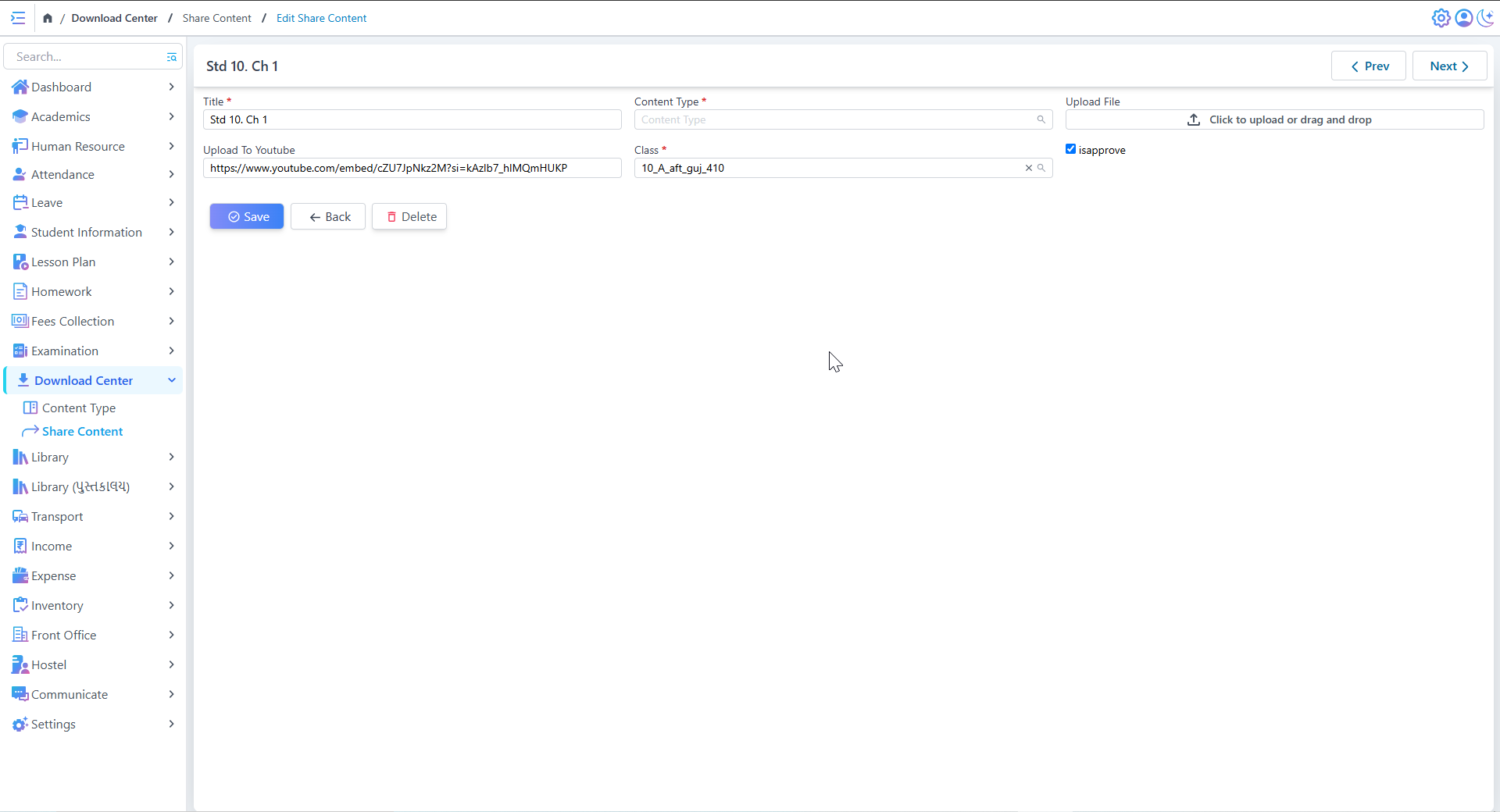
Add Share Content
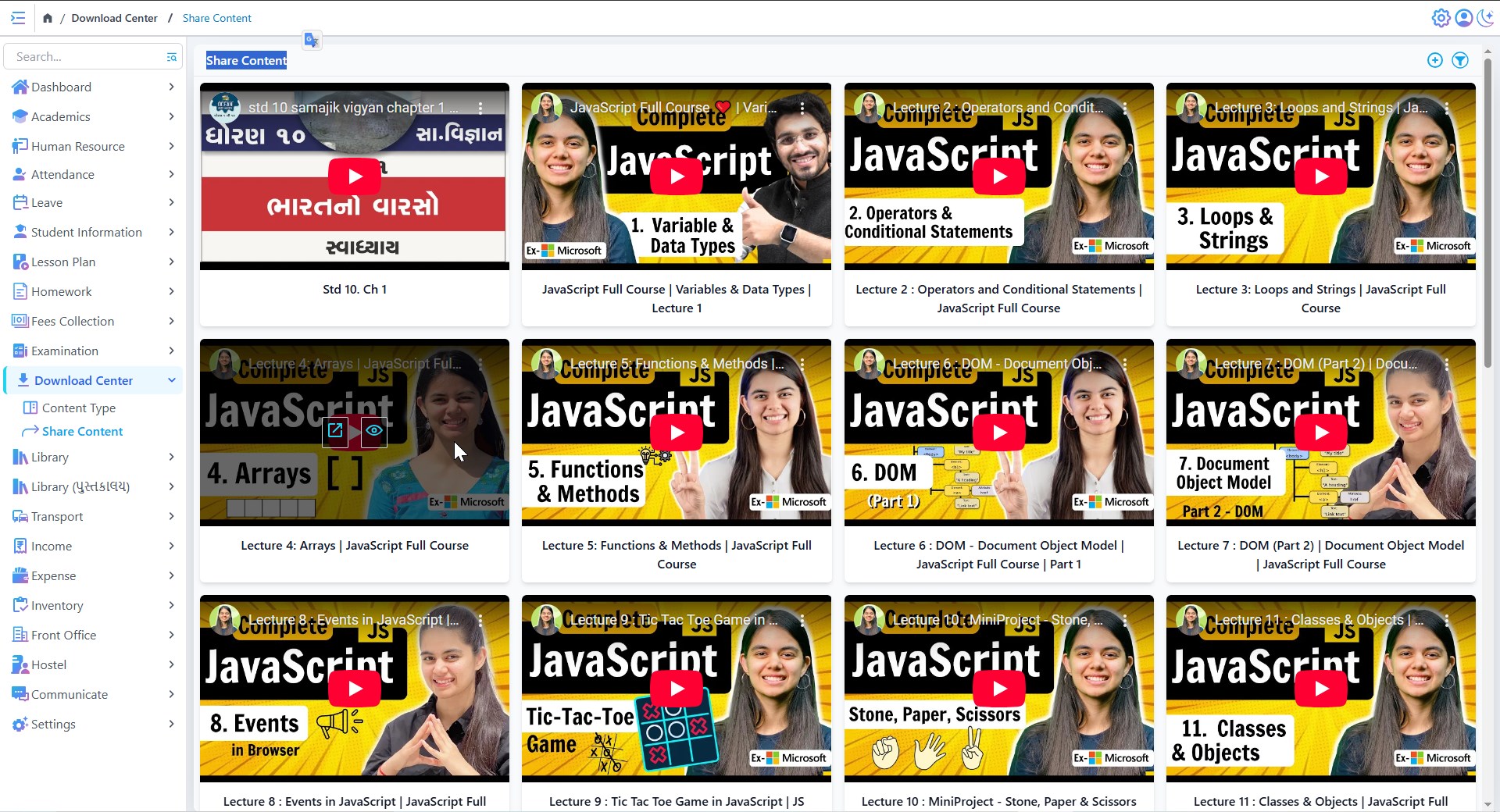
Shared Content
Multiple Content Types Supported
Organized Content Library
- Content is categorized for quick access
- Supports sorting & filtering by subject, type, or class
- Allows editing or deleting existing content
Library
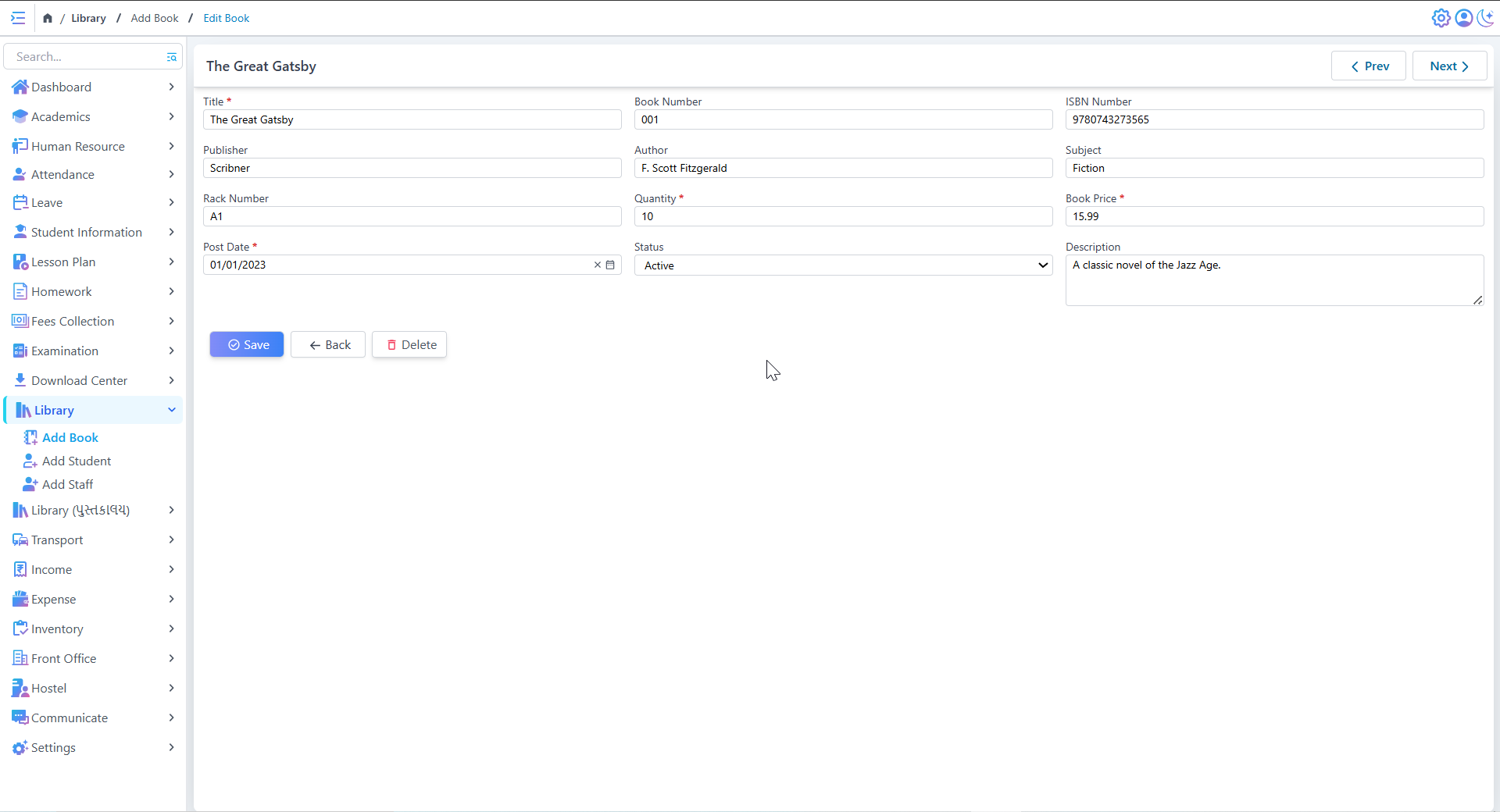
Create & Edit Book details
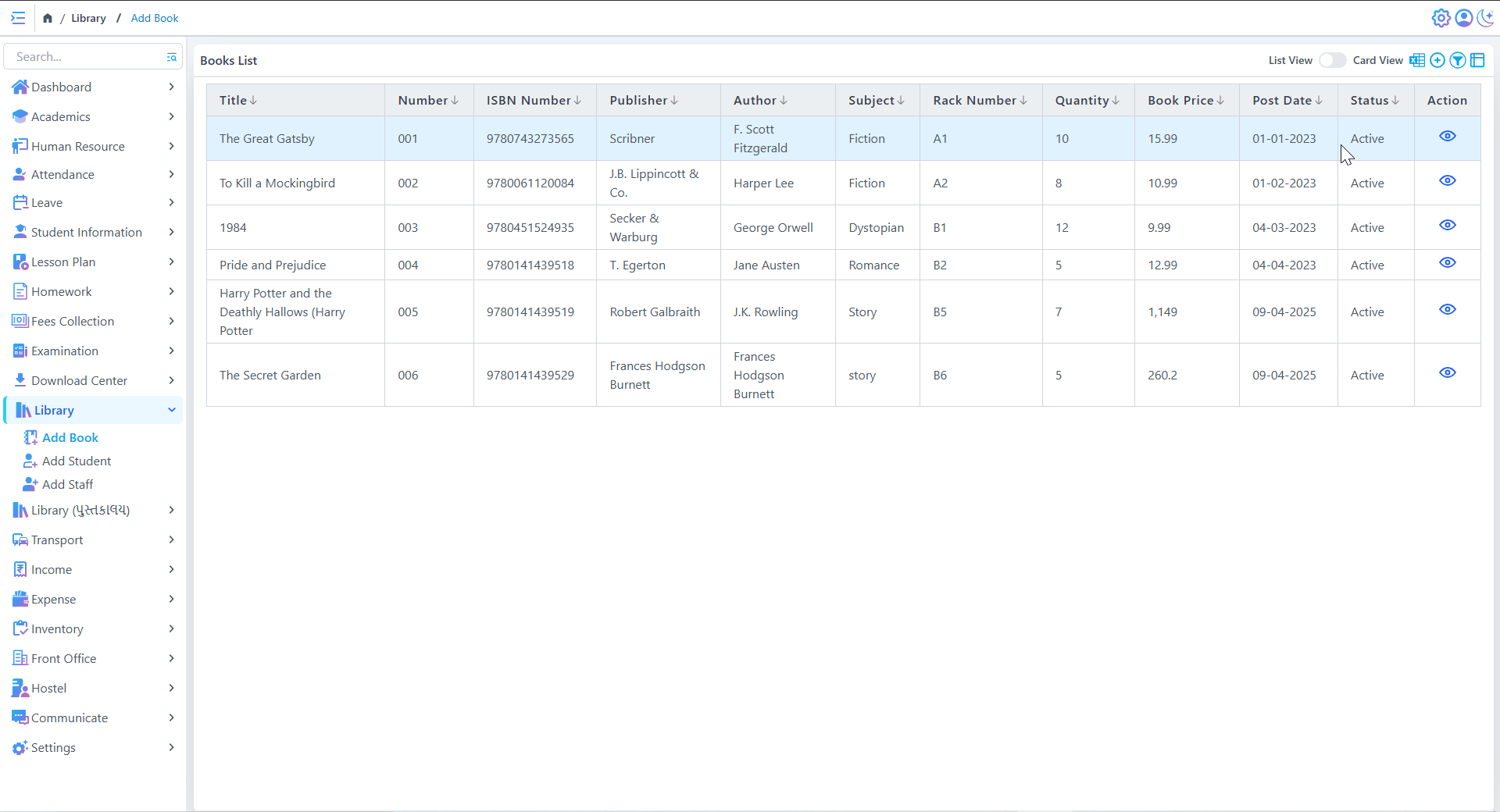
Book List
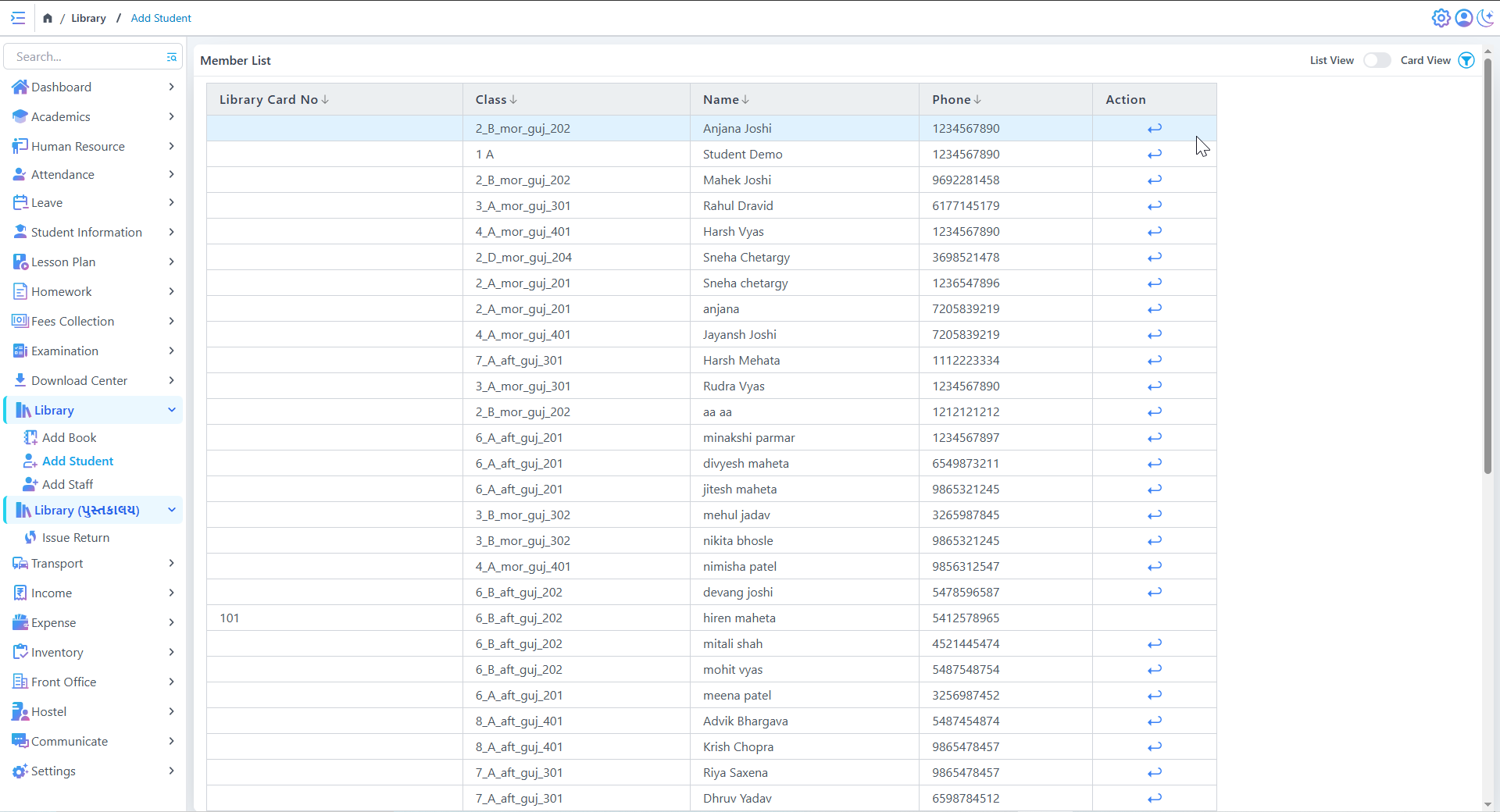
Member List
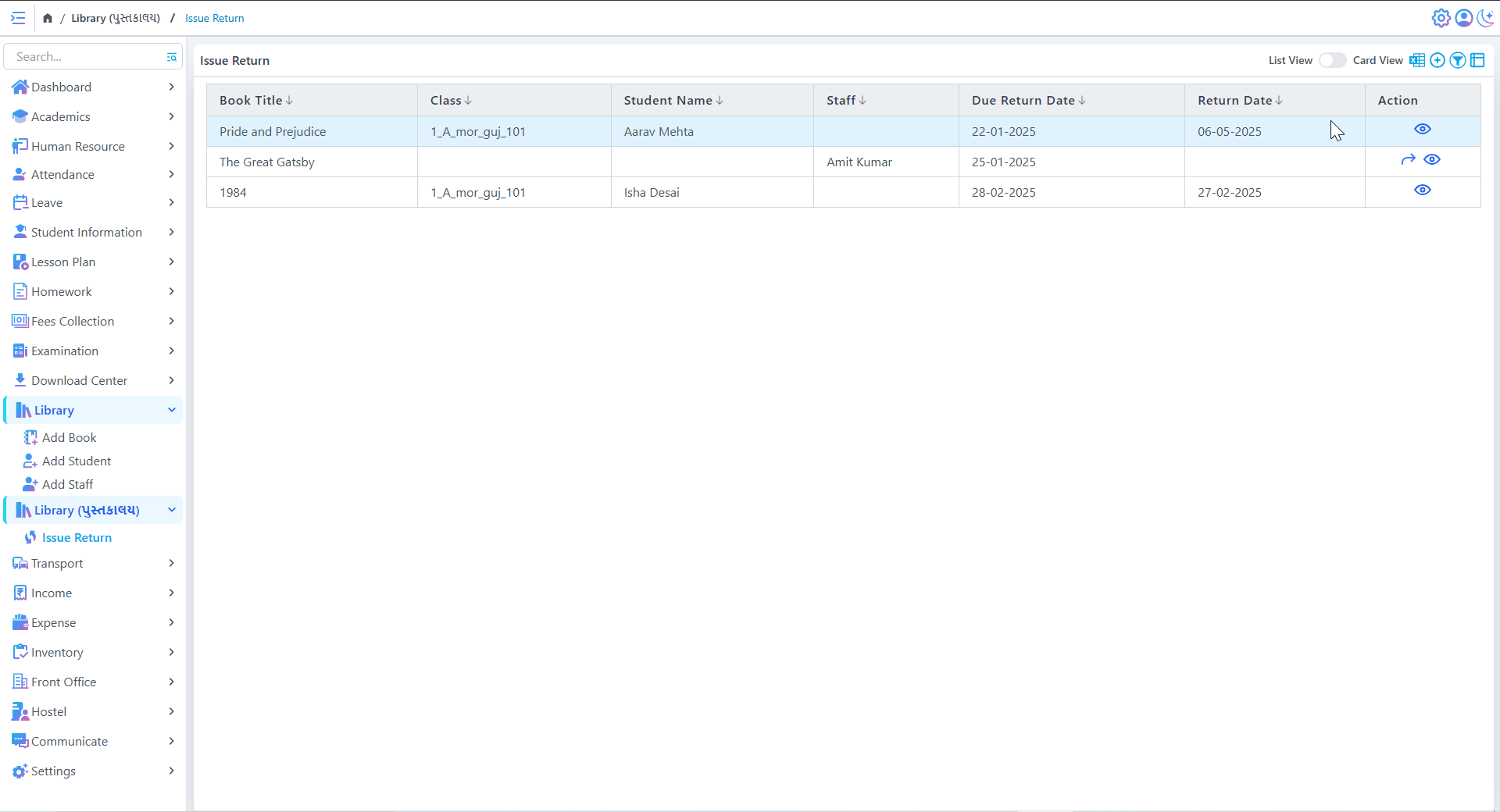
Comprehensive Book Management
Student & Member Management
- Maintain detailed member records (Library Card, Class, Contact)
- Advanced search and filtering capabilities
- Easy identification of members with complete profiles
Book Issuing & Returning
Income
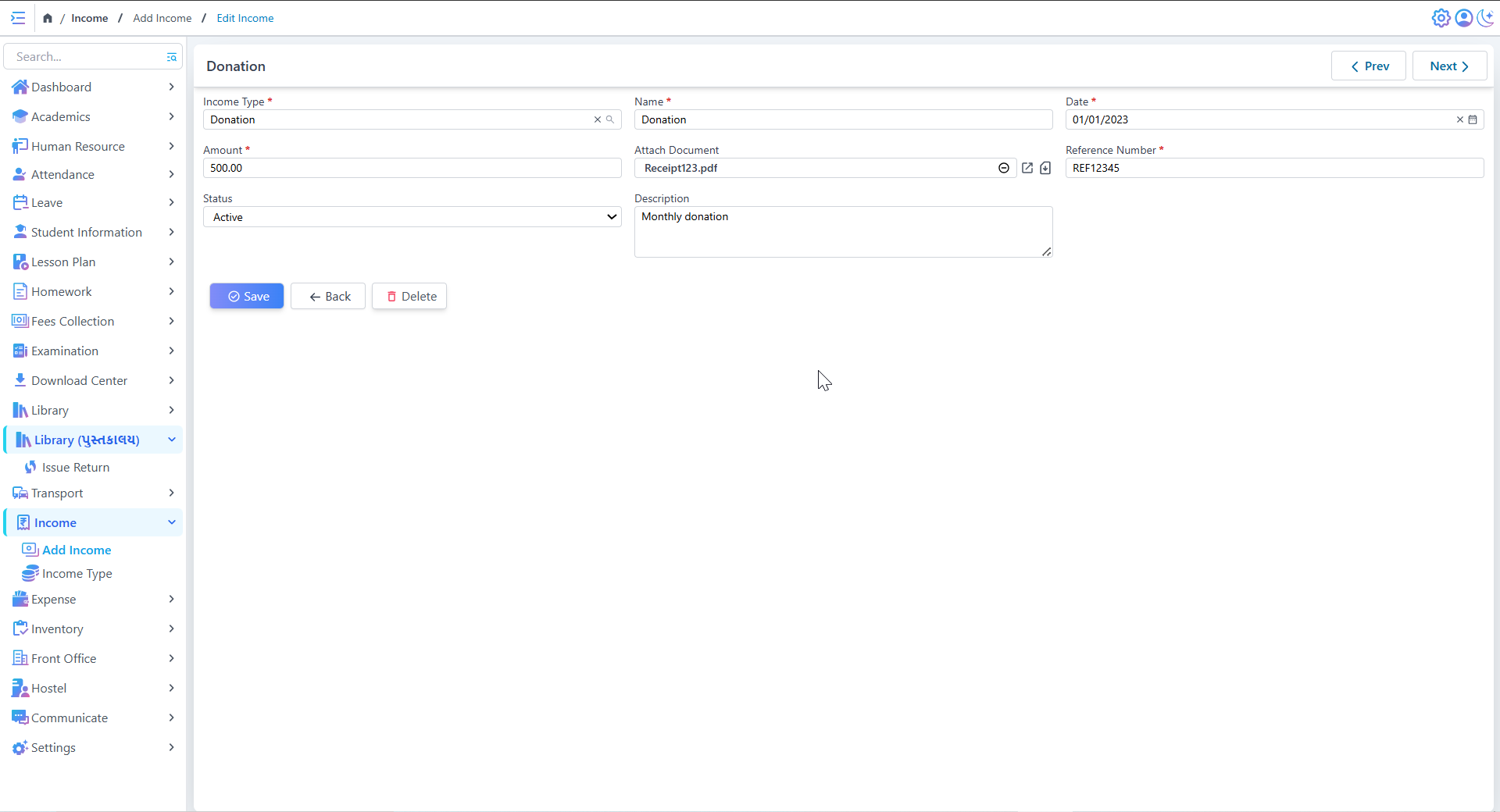
Add Income
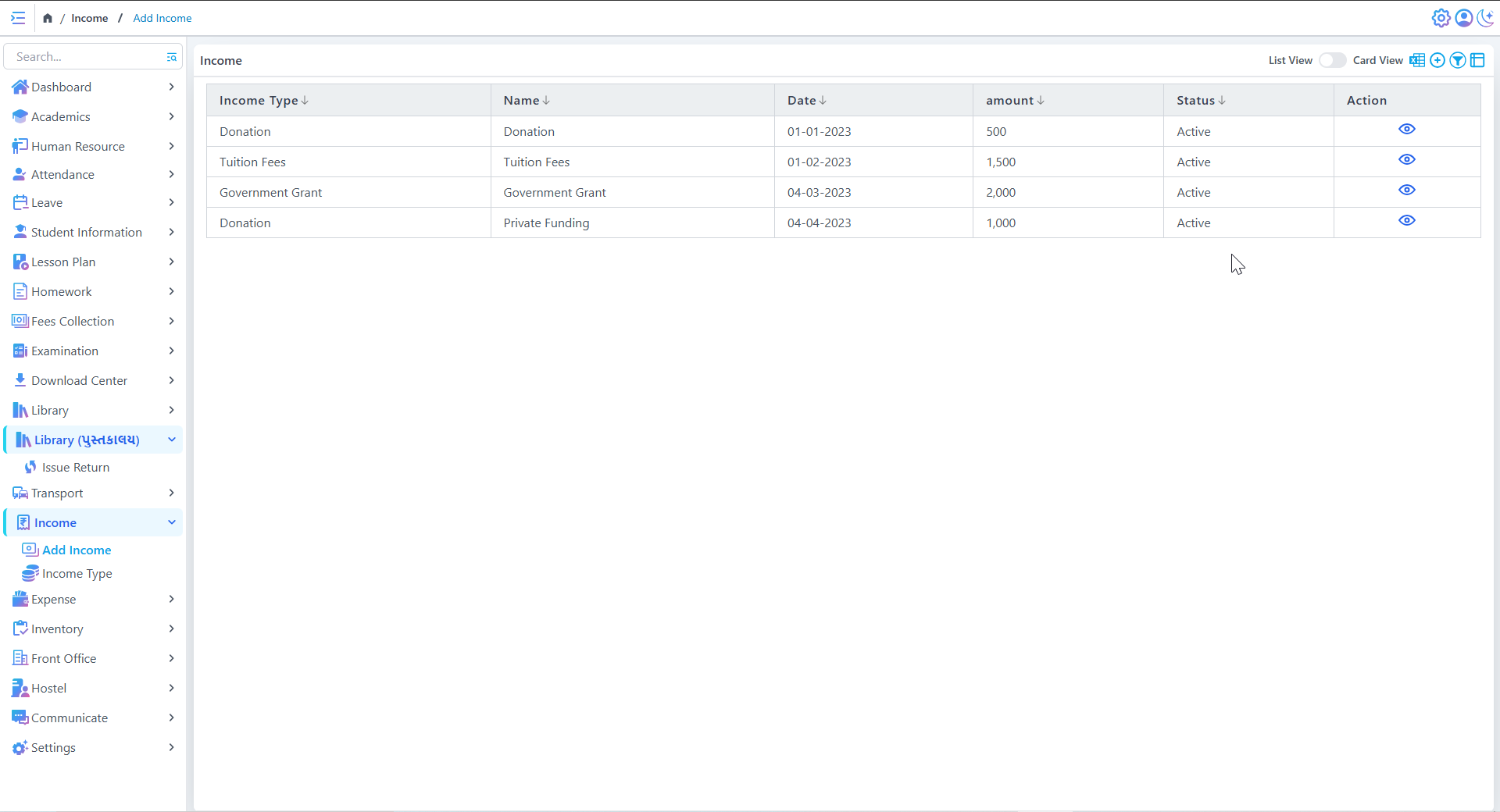
Income history
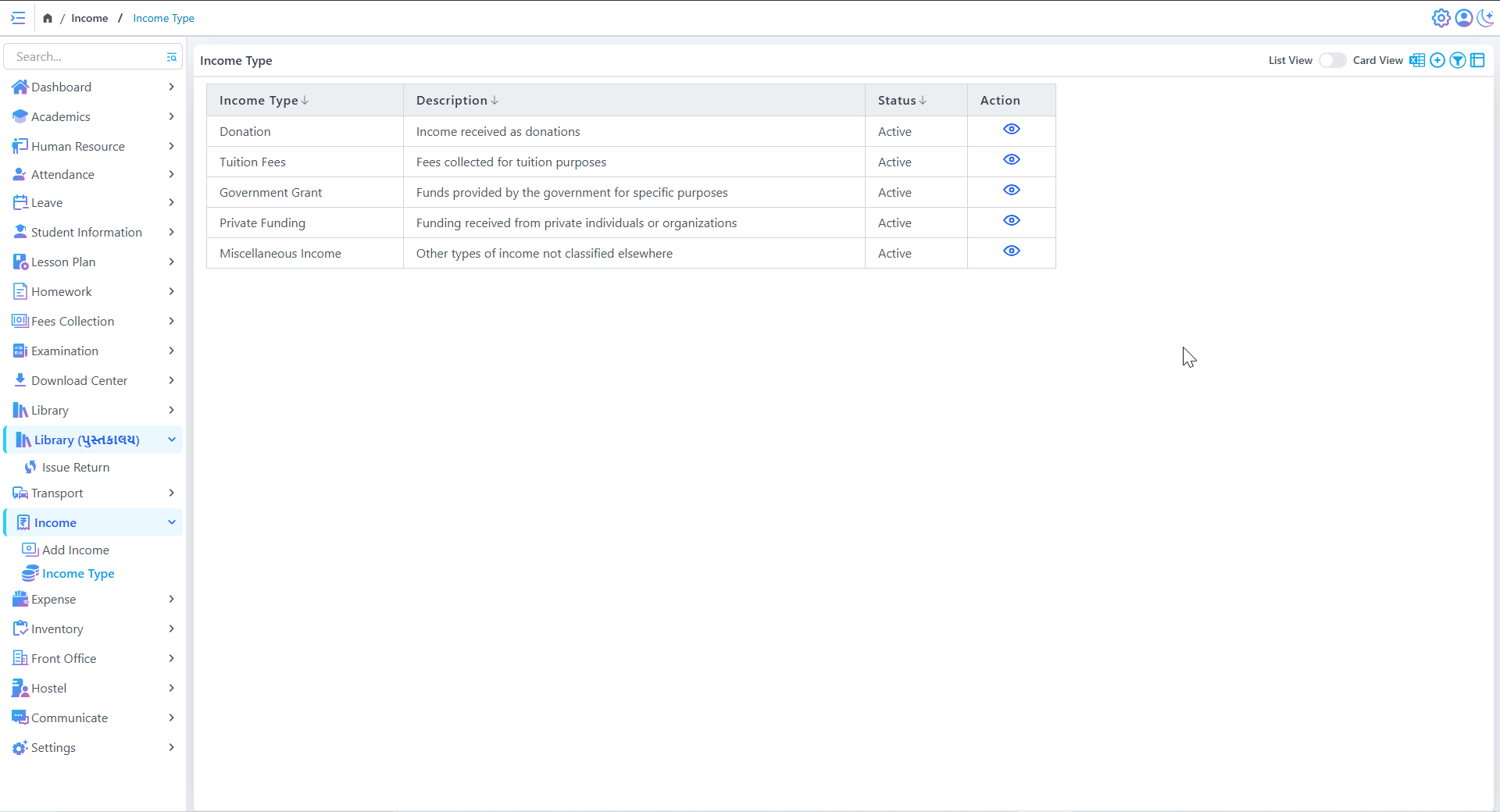
Clear Categorization of Income
Status Monitoring
- Visual indicators for active/inactive income sources
- Helps identify reliable vs. temporary funding sources
- Supports strategic financial planning
Expense
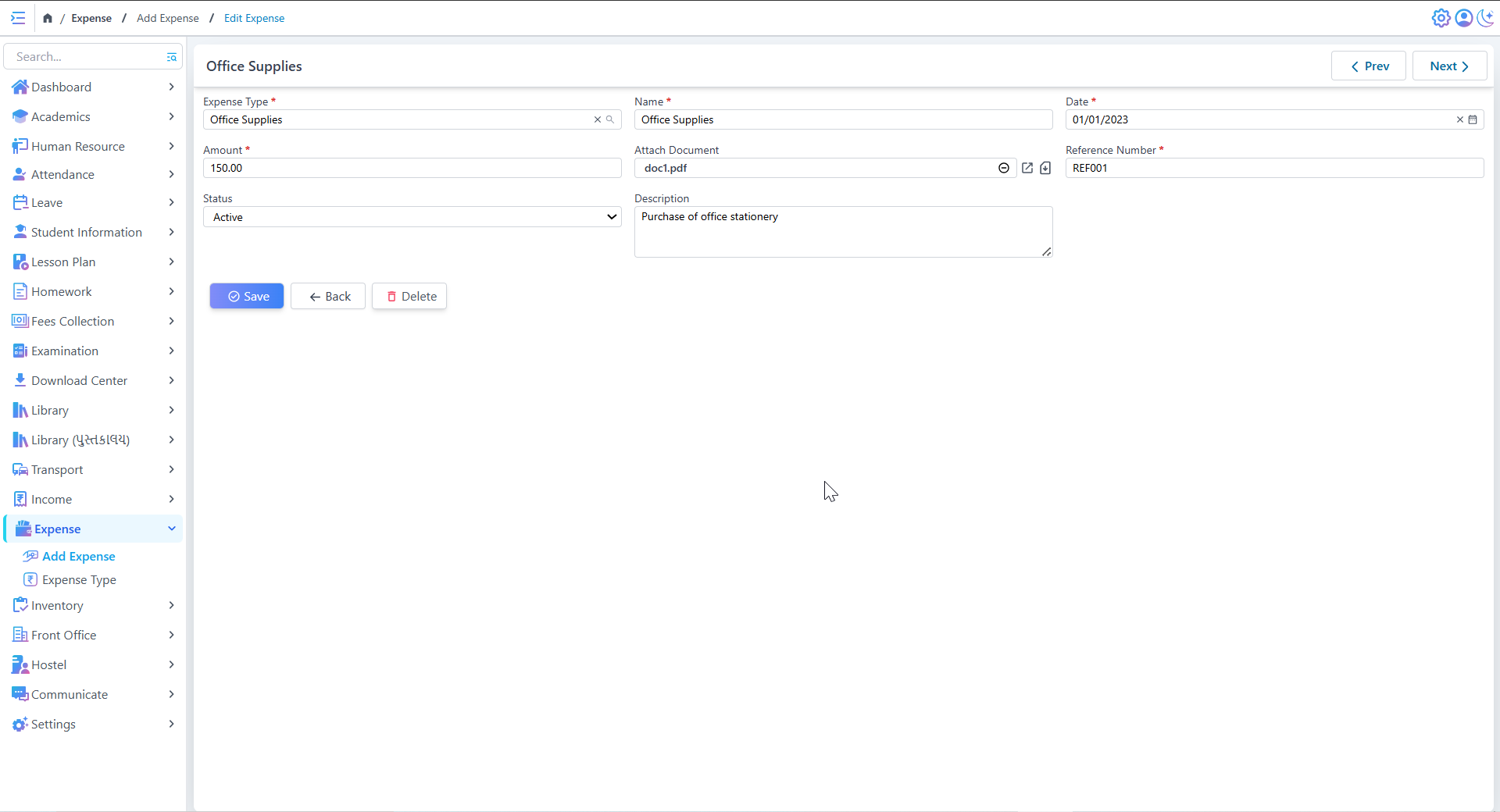
Create & Edit Expense
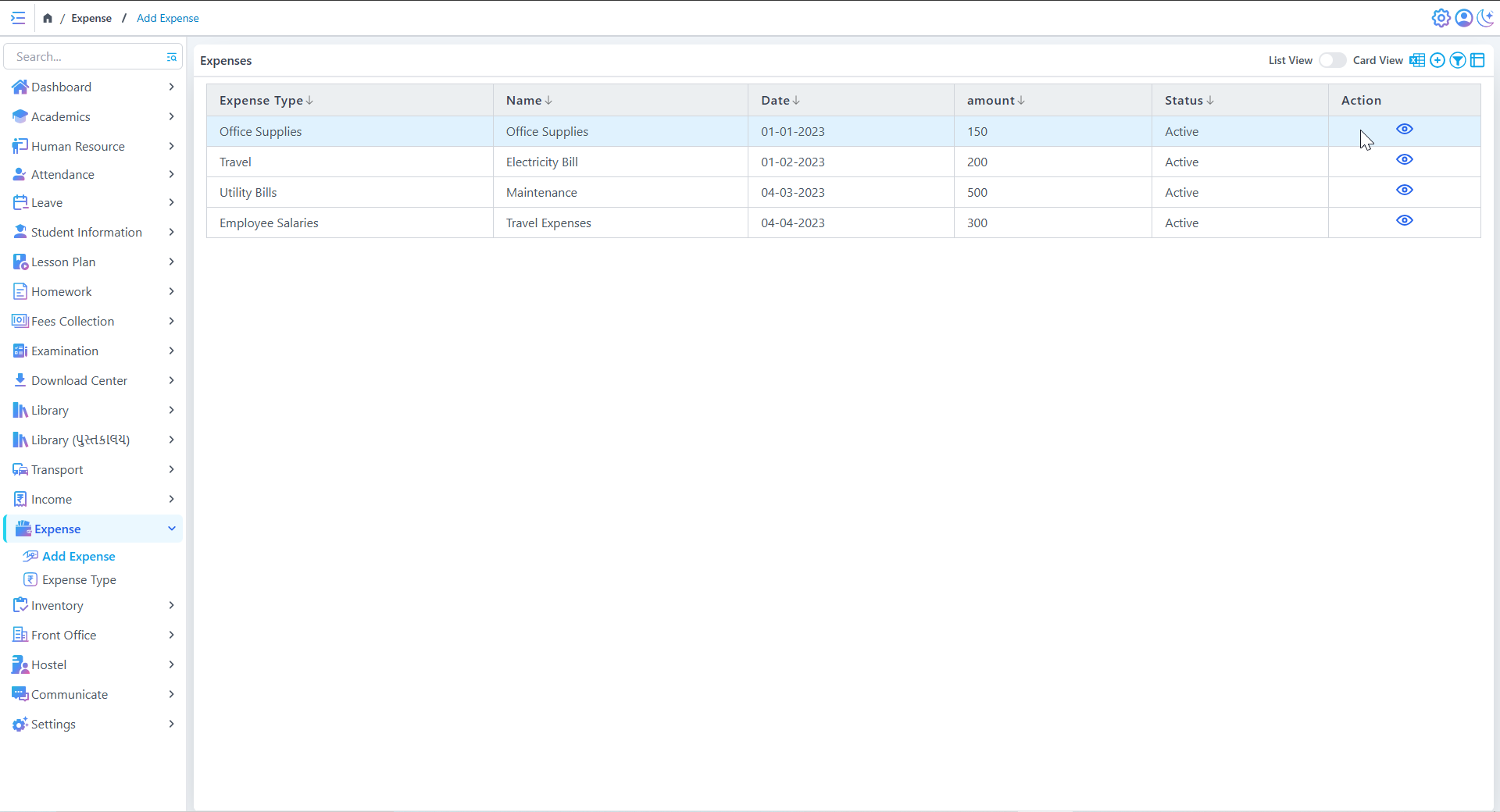
Expense history
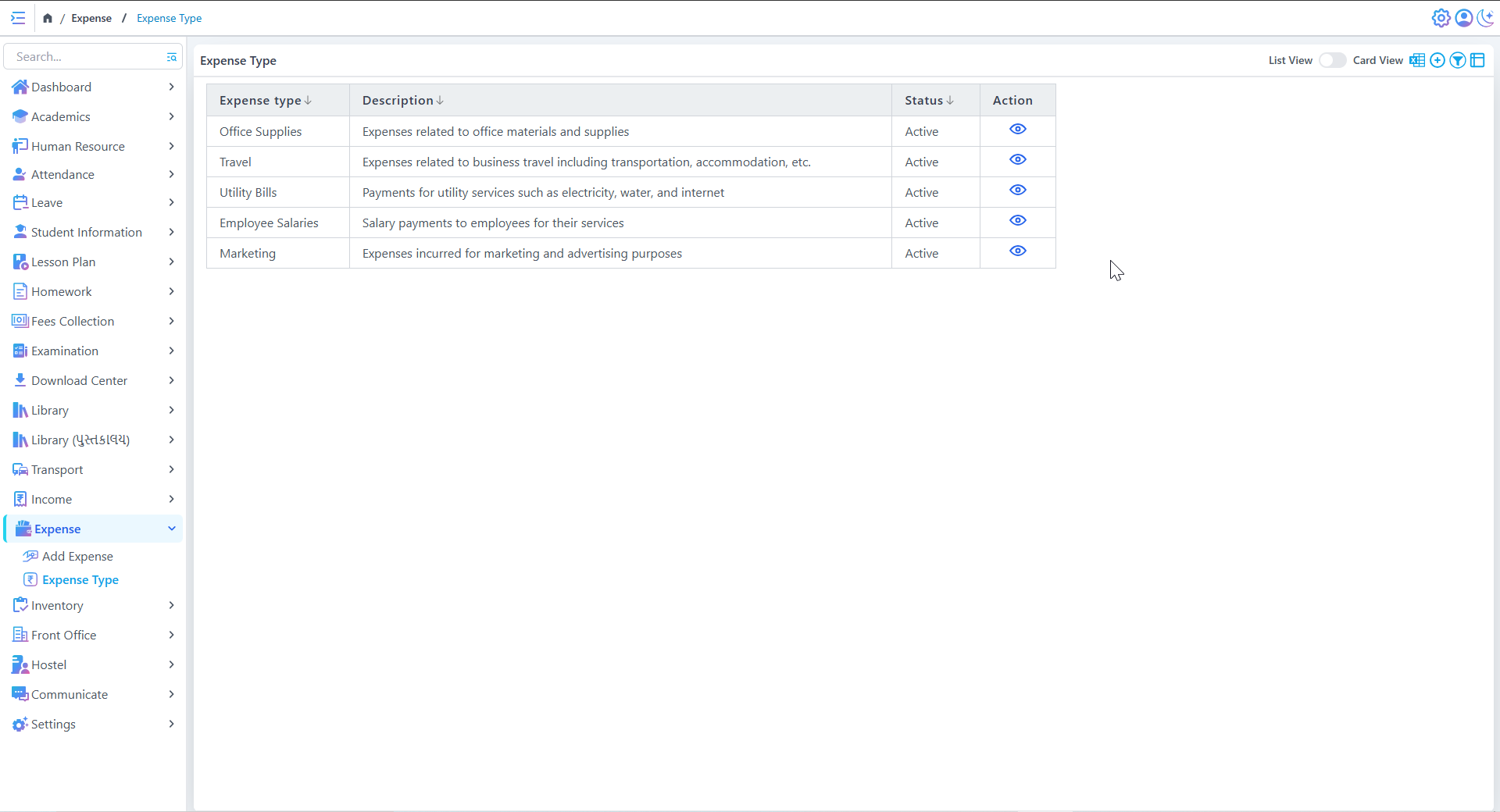
Simplified Expense Tracking
Efficient Record Organization
- Unique reference number for each expense record
- Detailed description fields for complete documentation
- Status dropdown for lifecycle tracking (Pending, Approved, Paid)
Clear Data Presentation
Front Office
Admissions
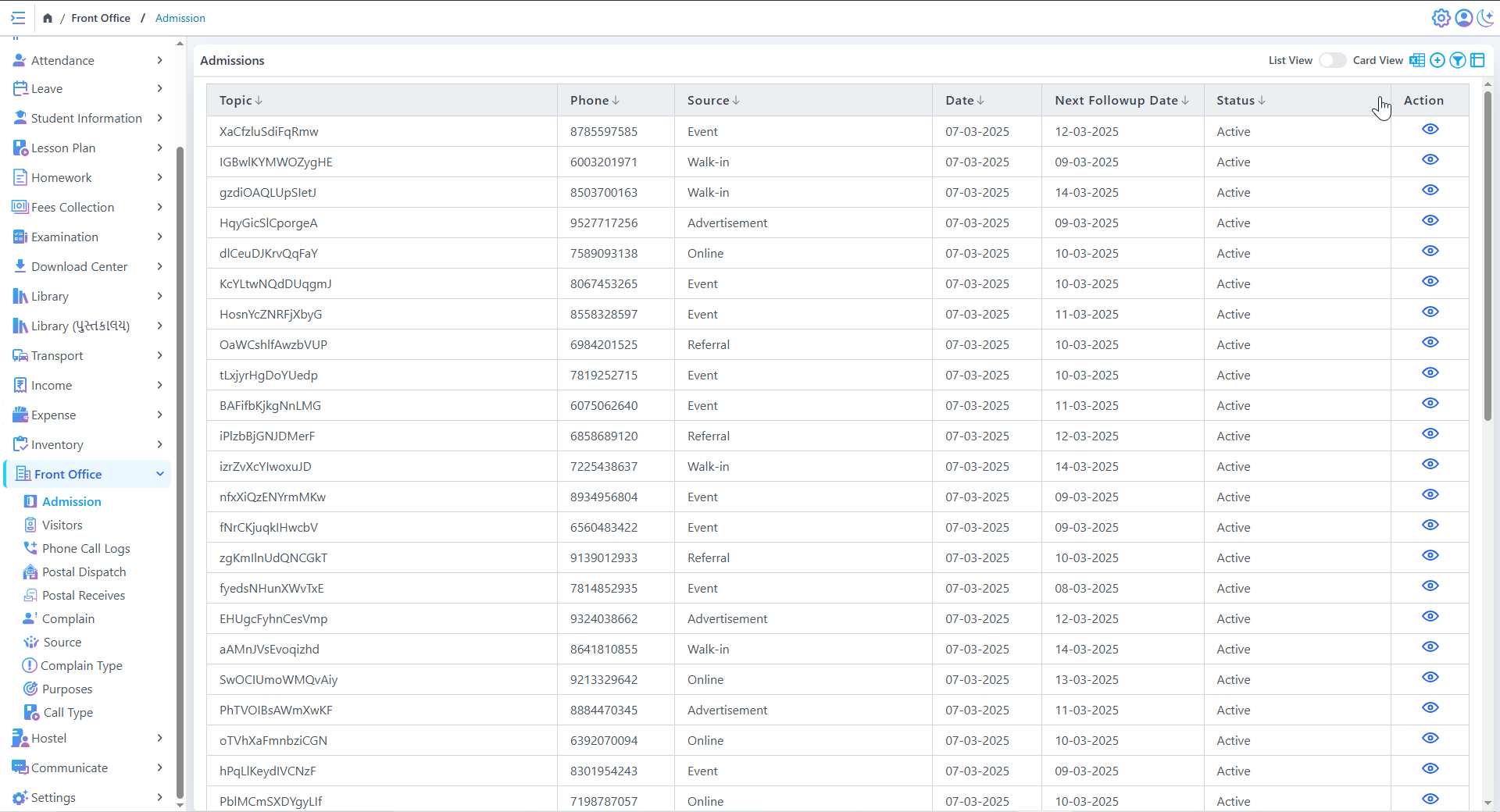
Admissions
Comprehensive Inquiry Tracking
Multi-Channel Lead Capture
- Capture leads from all sources (Online, Walk-in, Events)
- Track referral sources (Advertisements, Word-of-mouth)
- Automatic source tagging for better analytics
Smart Status Management
Visitors
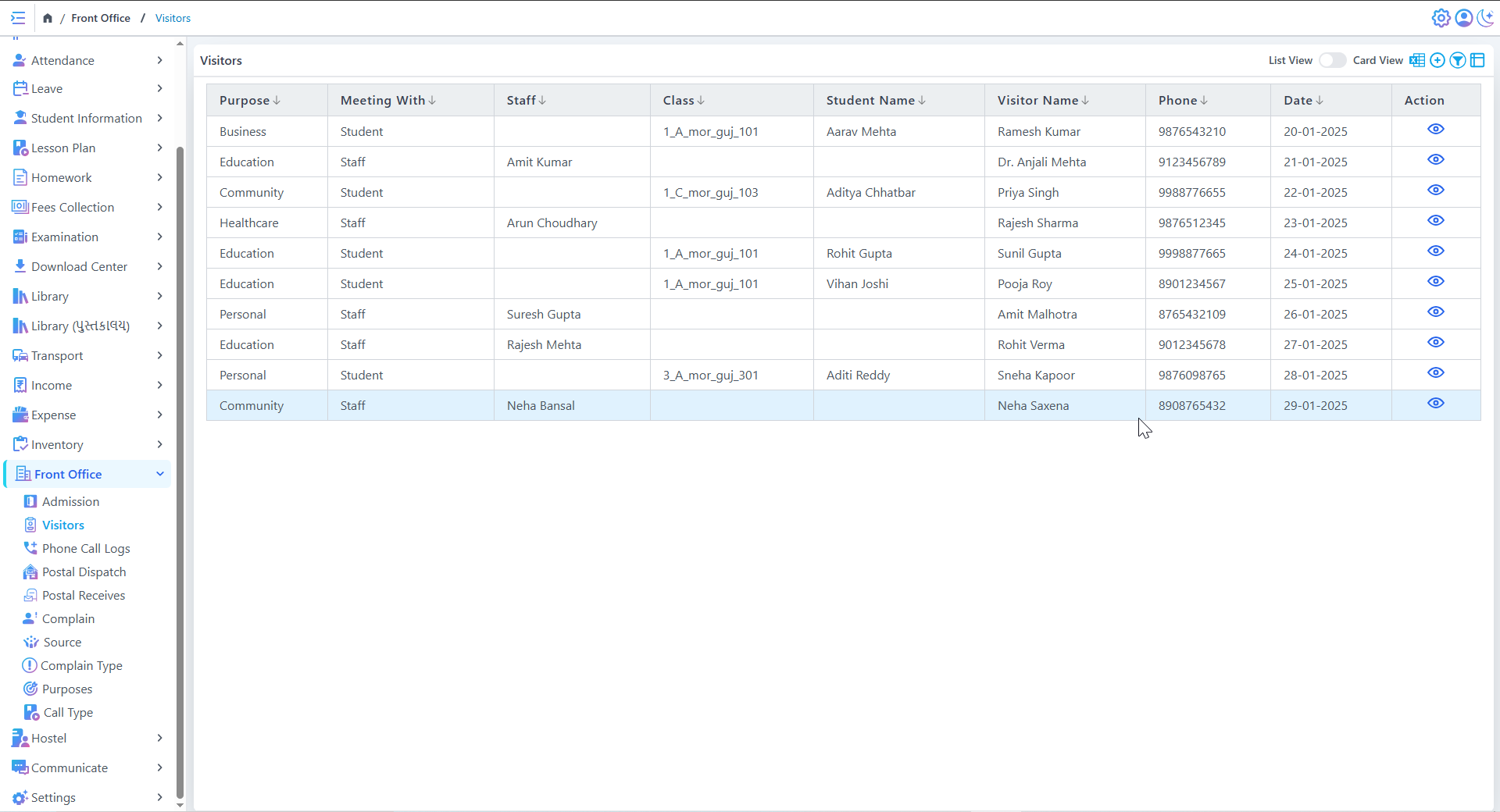
Visitors List
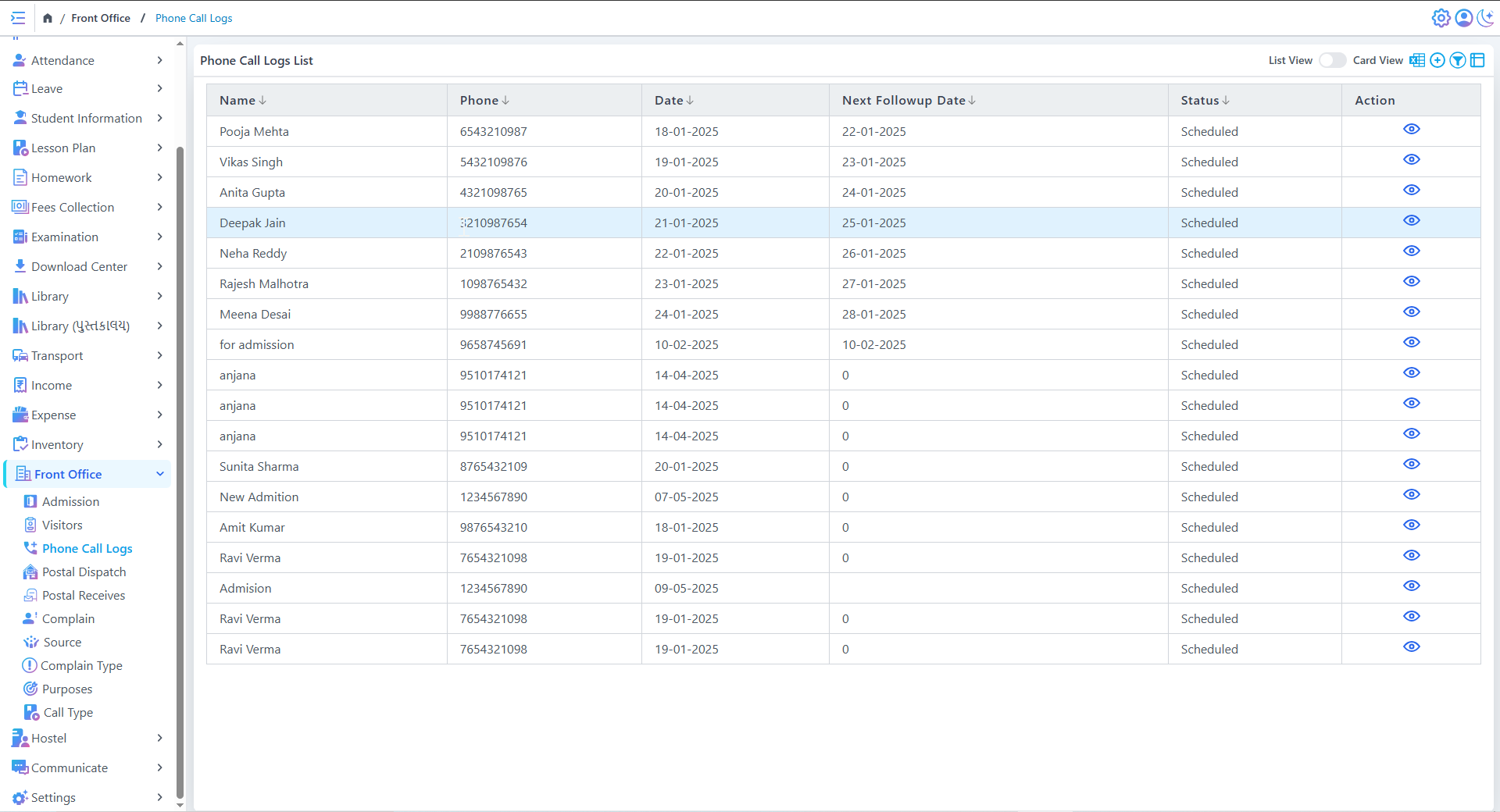
Phone Call Logs List
Visitor Tracking
- Store visitor contact details and visit dates
- Quick retrieval of visitor information
- Easy communication with past visitors
Visit History
Visit Purpose
Postal Dispatch
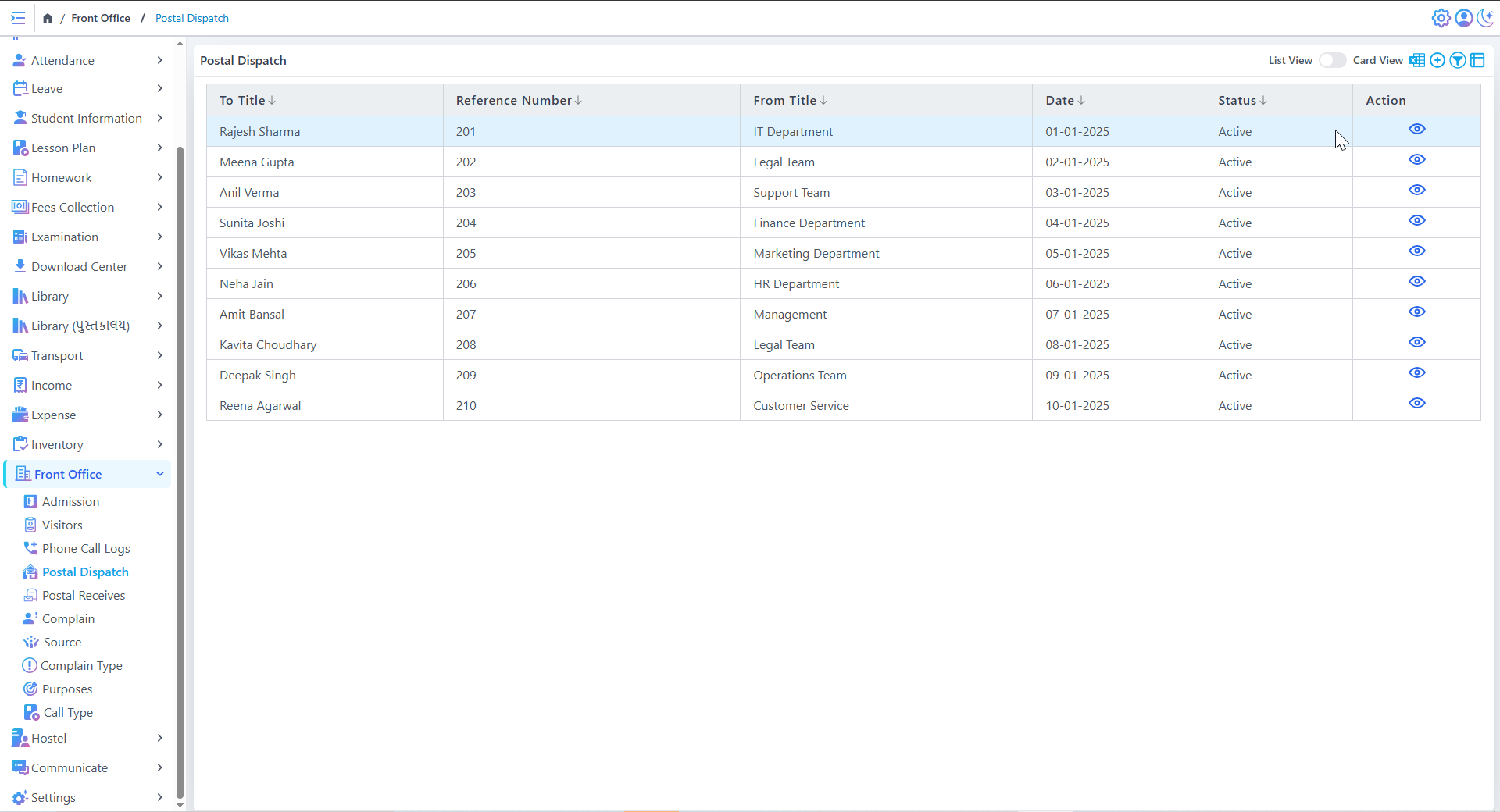
Postal Dispatch
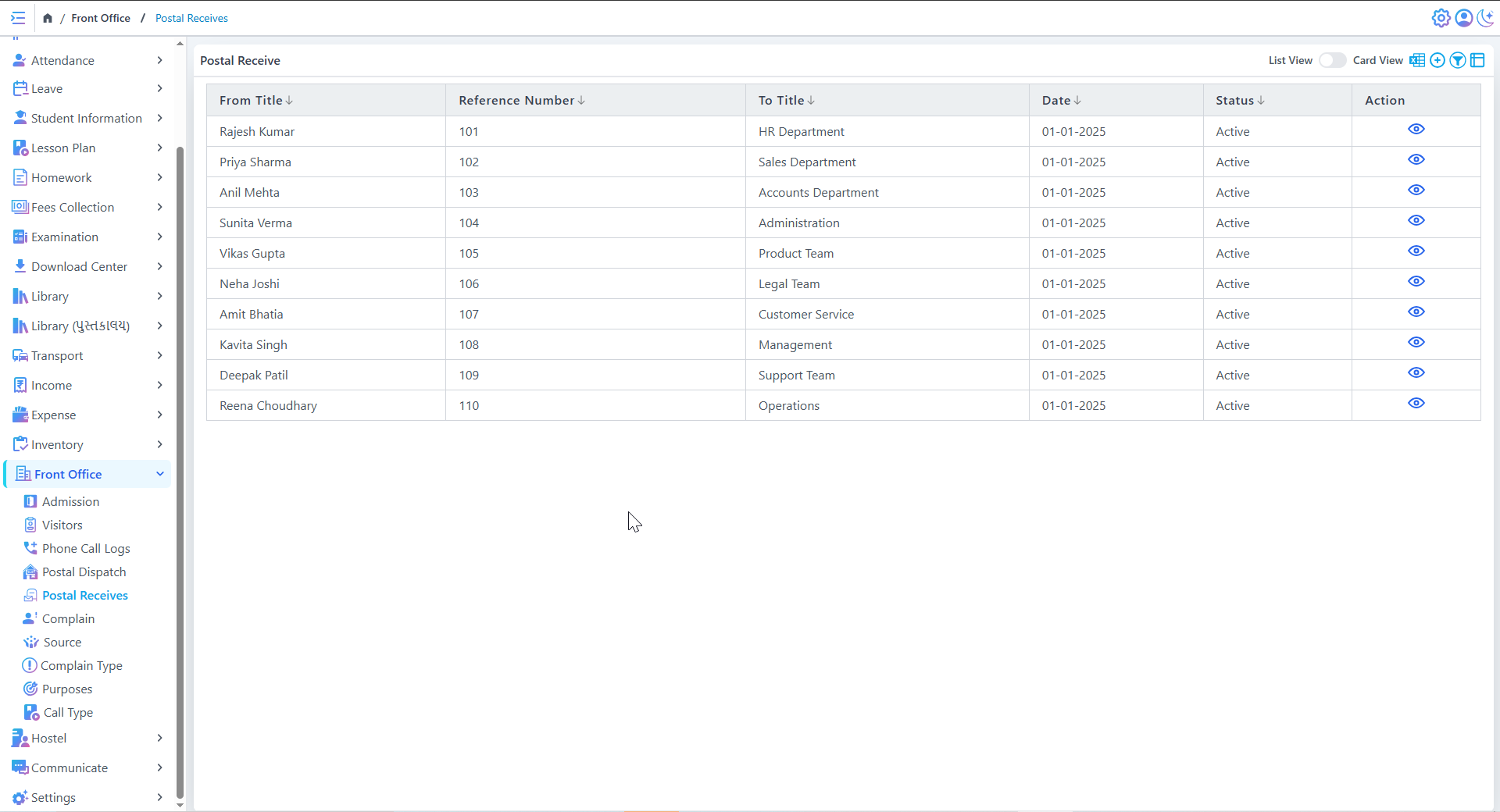
Postal Receive
Postal Dispatch
Postal Receive
Review List
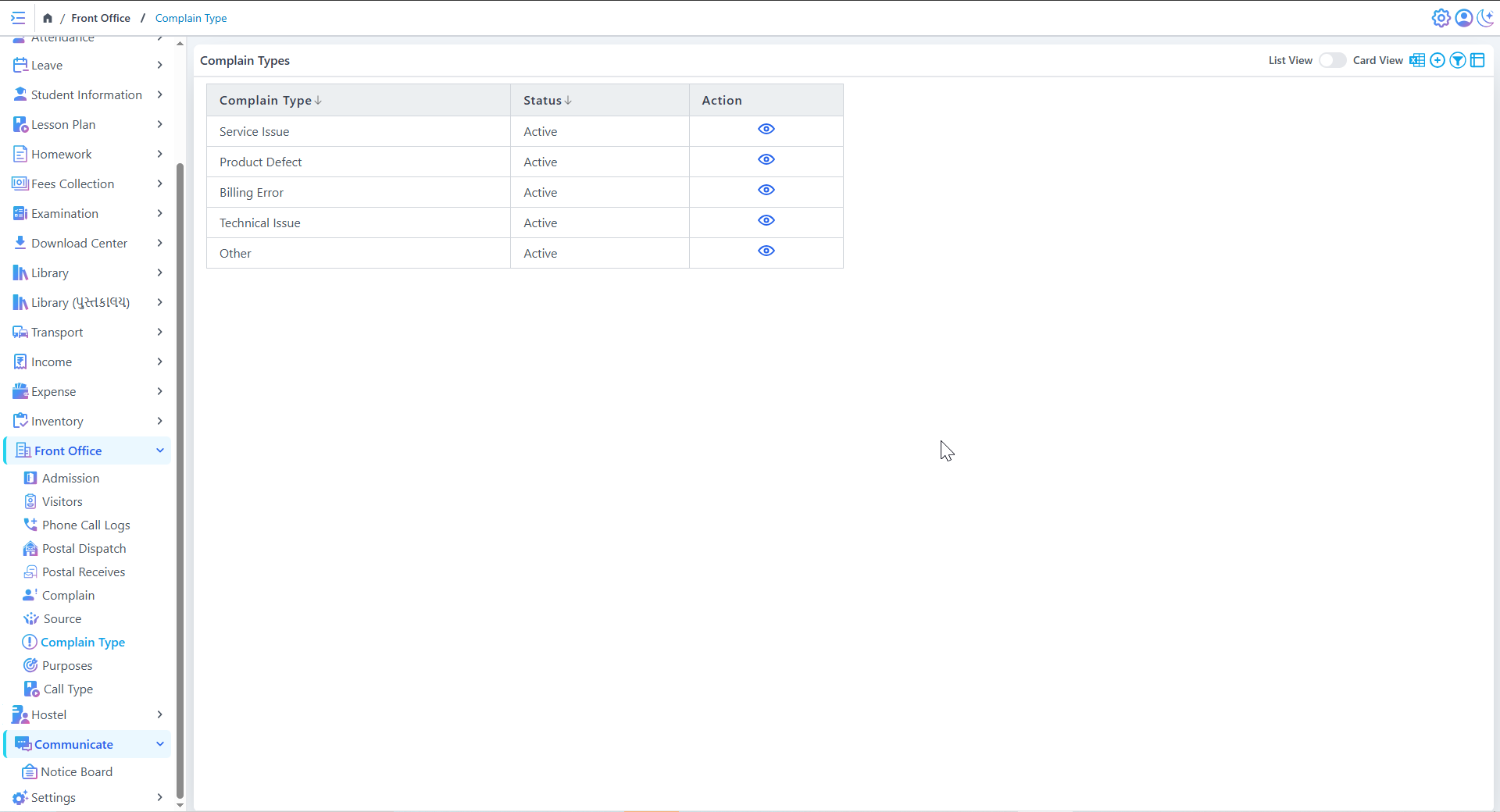
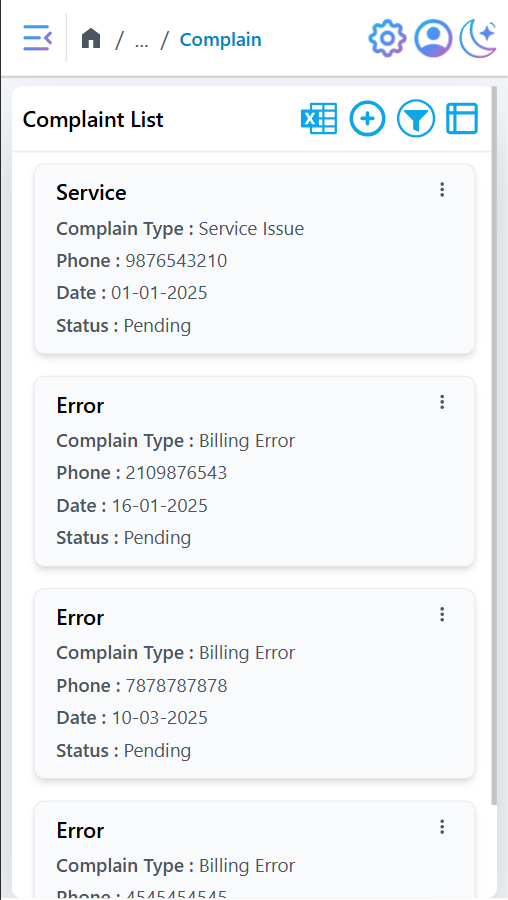
Review List
Centralized Review Tracking
Maintains structured records of Reviews with details like title, Review type, phone number, date, and status.
Ensures that all Reviews are logged systematically for efficient management.
Reviews are categorized into different types (e.g., Service Issue, Billing Error) for easy prioritization and resolution.
Status Management & Monitoring
Displays real-time status updates (e.g., "Pending") to help track unresolved Reviews.
Allows administrators to review and update statuses as progress is made.
Hostel
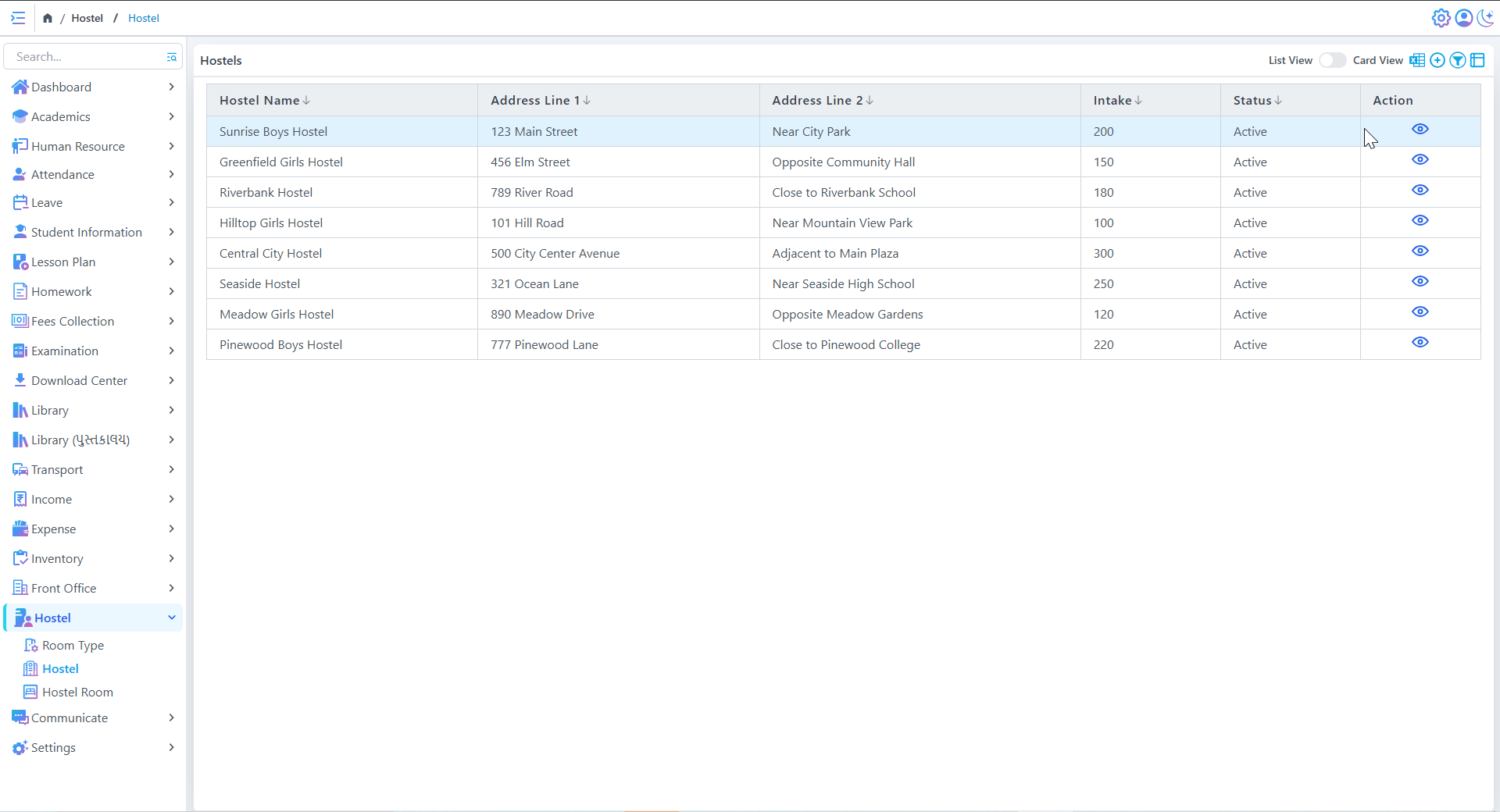
Hostels List
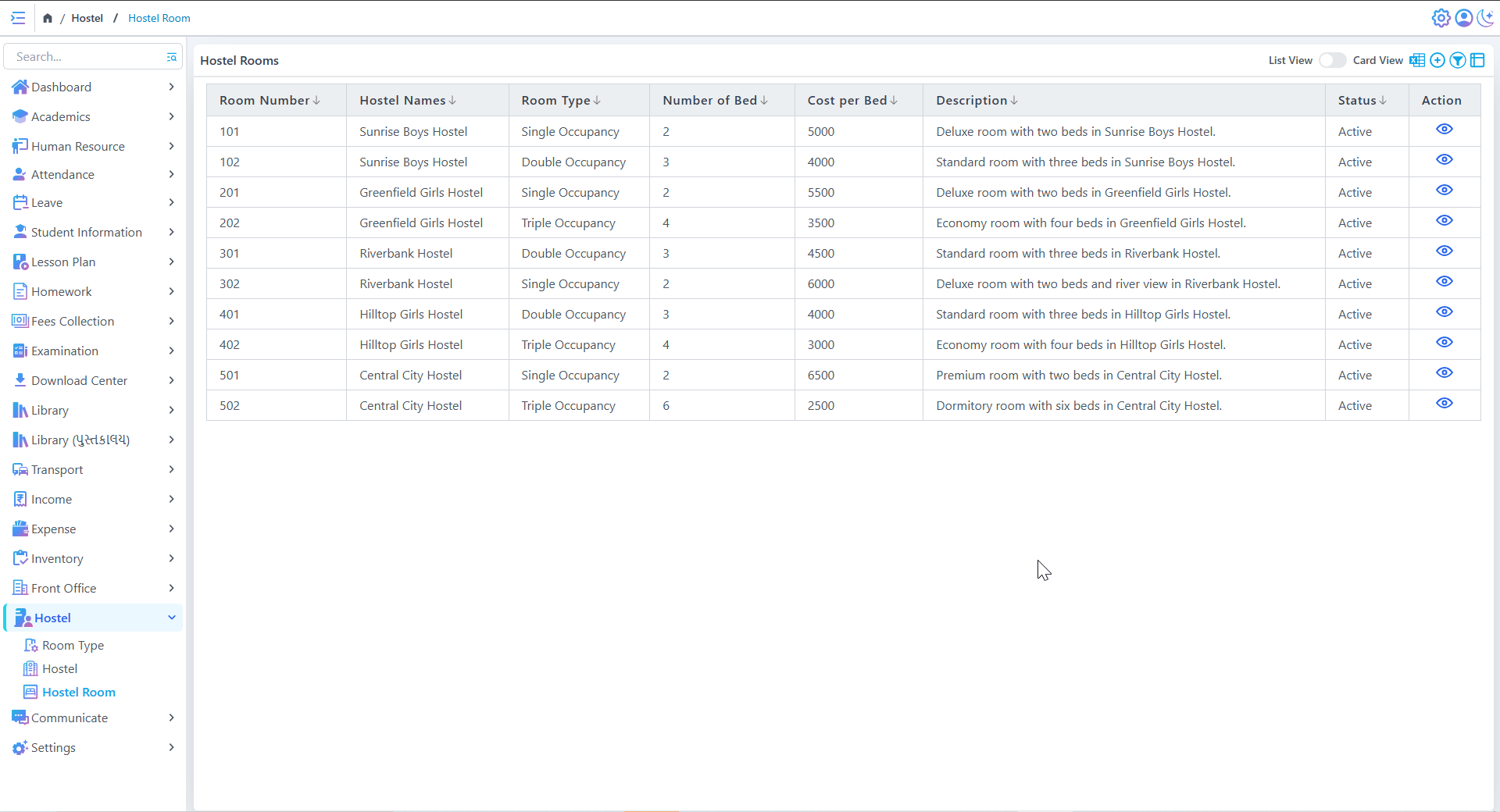
Hostel Rooms
Hostel Registration & Management
Store and manage details of multiple hostels.
Track intake capacity and addresses.
Room Allocation & Classification
Assign rooms based on single, double, or triple occupancy.
Set the number of beds and per-bed cost.
Status Monitoring
Track hostel and room statuses (Active/Inactive).
View and manage hostel details in list or card format.
Communicate
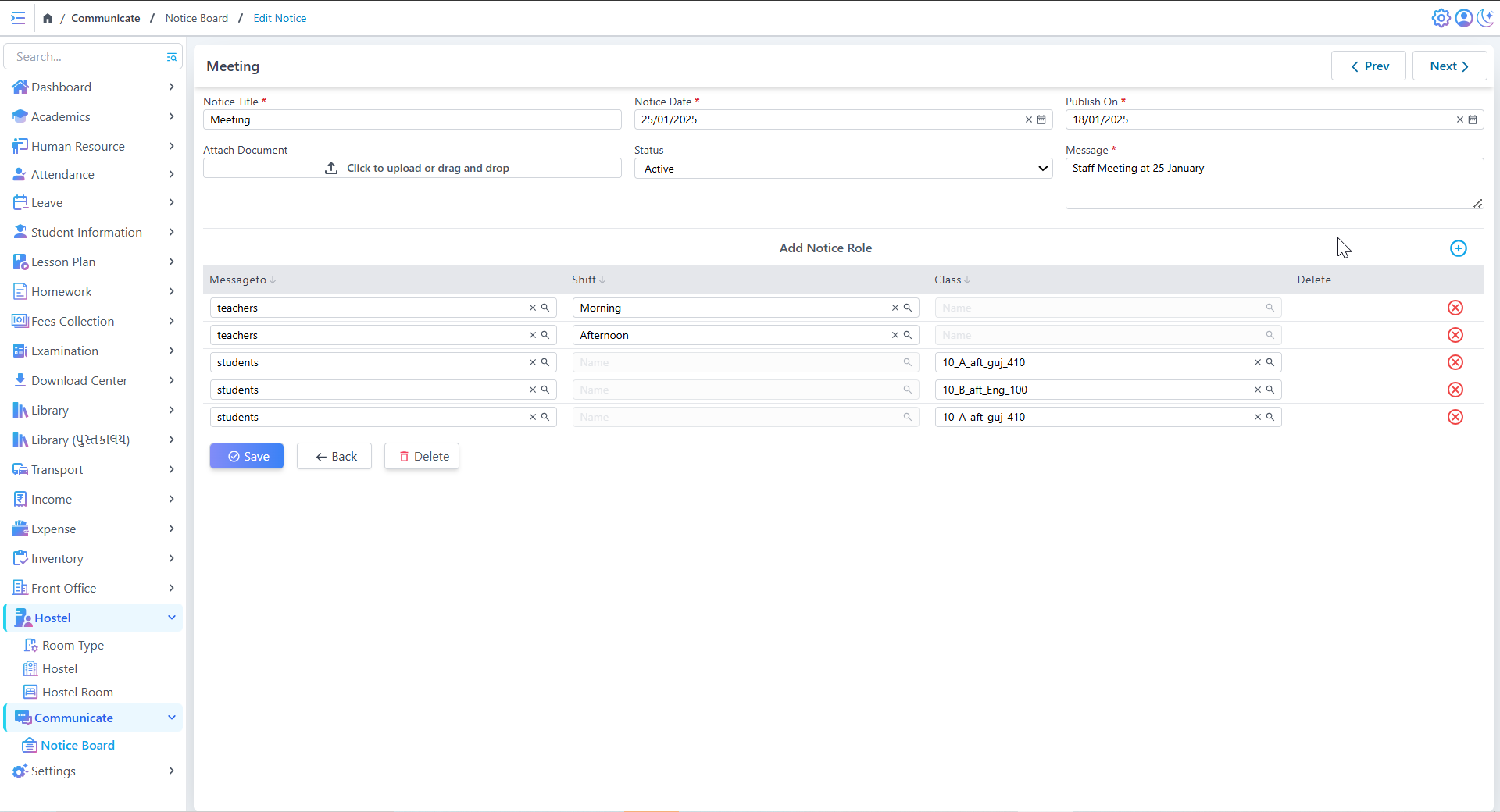
Create & Edit Notice
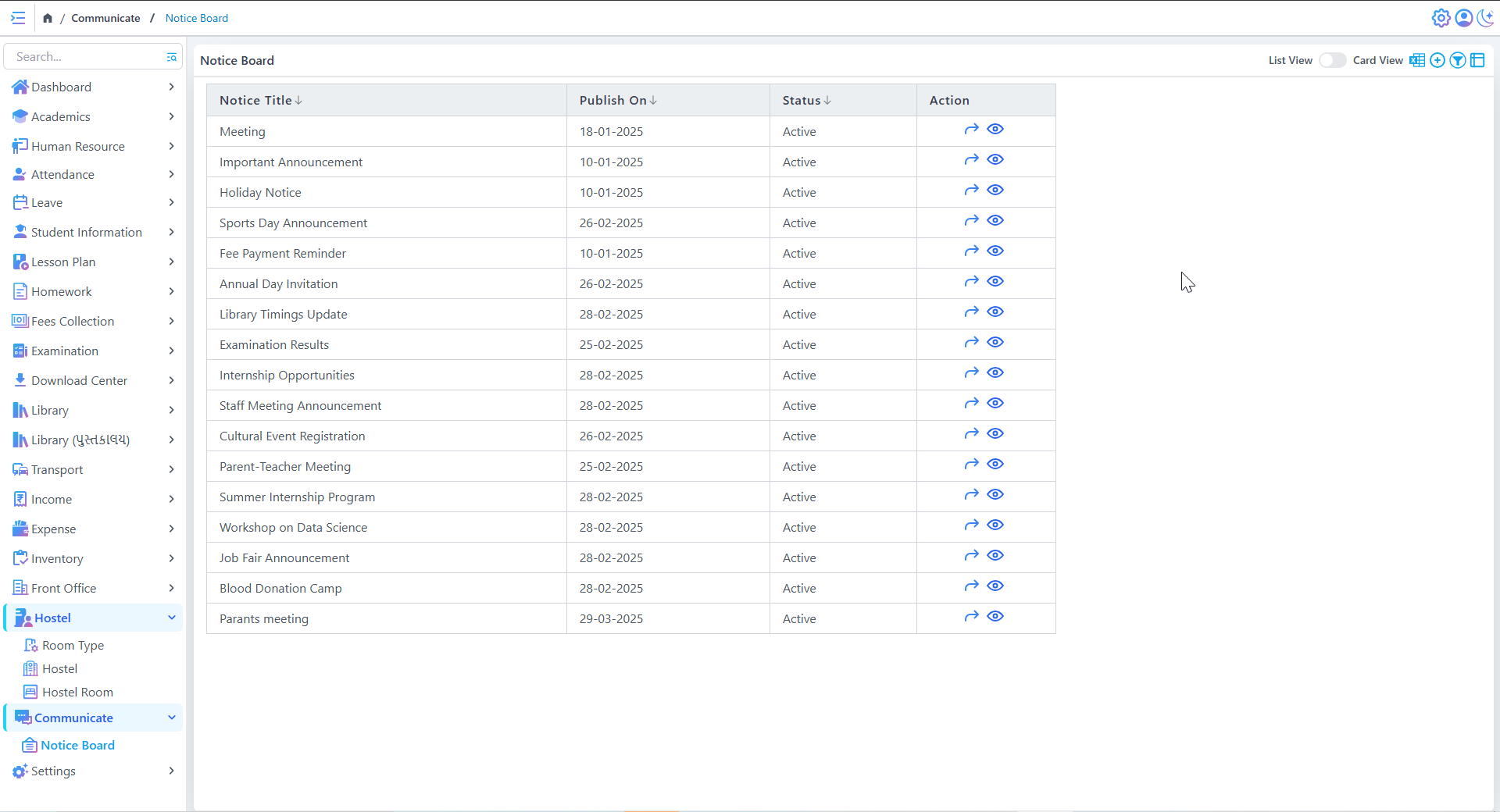
Notice Board List
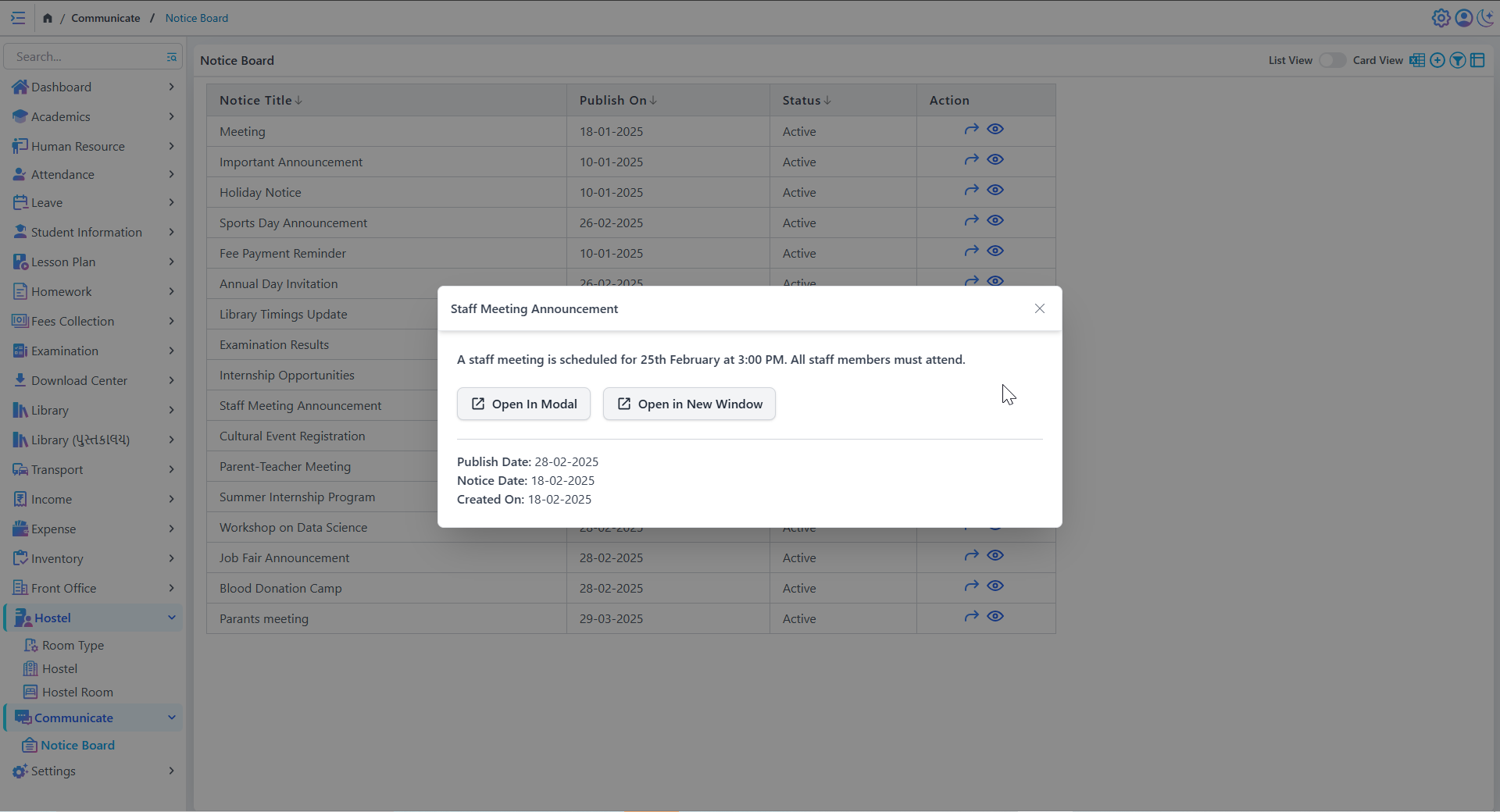
Notice Creation & Management
- Create notices with title, date, status, and message content
- Attach documents (PDFs, images) for additional information
- Set publish dates to schedule announcements in advance